Open Account on Exnova — Trading Account Setup and Requirements
Writen By

Online Trading Platform Researcher and Guide Writer
Researches broker platforms and trading account Systems.
Opening a trading account can feel overwhelming: you need the right ID, a verified address, a compatible payment method and an understanding of the account tier you'll use. Common pitfalls — low-quality document scans, mismatched personal details, or choosing a restricted payment provider — are the usual causes of delays. Preparing documents in advance, confirming supported currencies and deciding whether to start with a demo or live account speeds approval and reduces friction when you first log in.
The steps here cover opening an account on Exnova: choosing the account type that matches your trading goals, uploading identity and residency documents, completing the online application fields, and meeting funding rules that determine when trading privileges become active. You'll also find expected verification checks, reasons an application may be rejected, practical payment tips and basic account-security measures so you can finish registration cleanly and move on to funding and trading with confidence.
The steps here cover opening an account on Exnova: choosing the account type that matches your trading goals, uploading identity and residency documents, completing the online application fields, and meeting funding rules that determine when trading privileges become active. You'll also find expected verification checks, reasons an application may be rejected, practical payment tips and basic account-security measures so you can finish registration cleanly and move on to funding and trading with confidence.

How to Open a Trading Account with Email on Exnova
1. Access the Exnova website and click on the [Create an Account] button in the upper right corner page.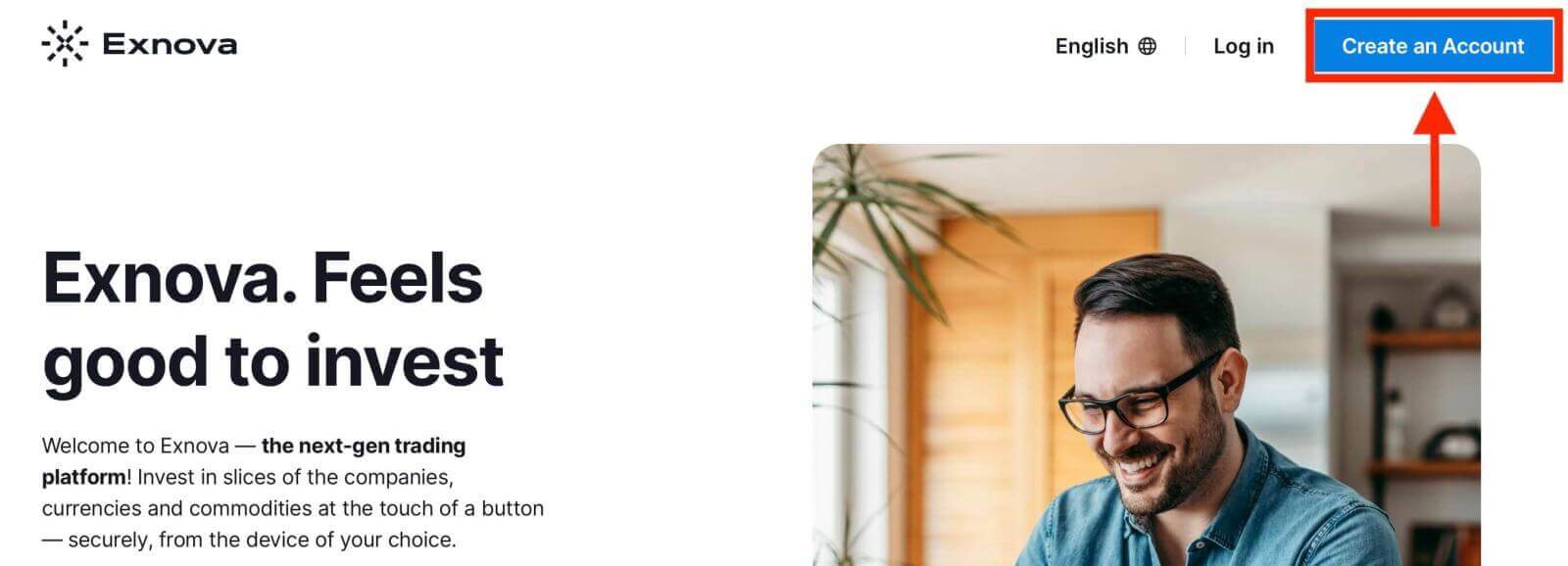
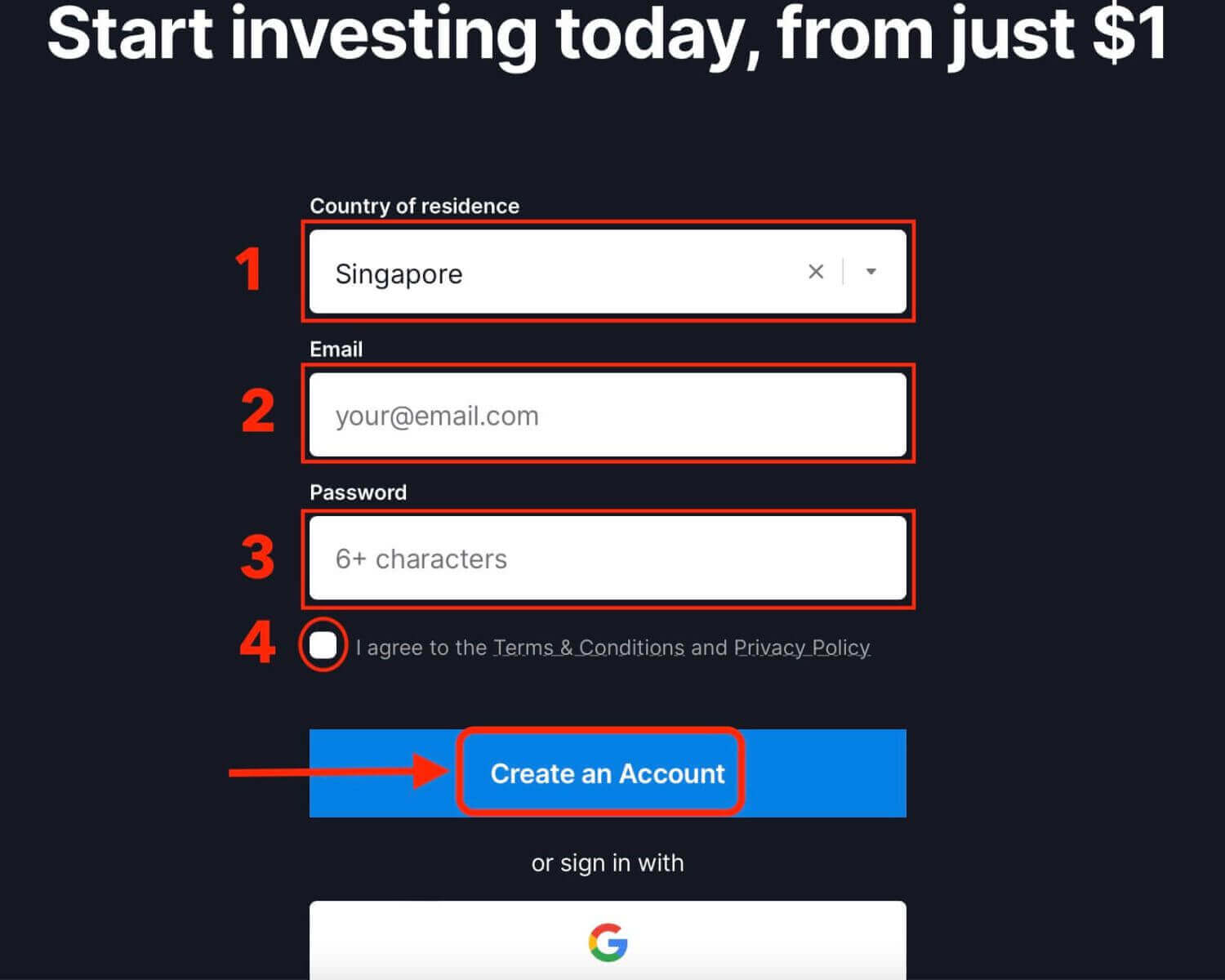
2. To sign-up you need to fill in the required personal information accurately:
- Choose your country of permanent residence.
- Enter a valid email address.
- Create a secure password.
- Read and agree to the Privacy Policy of Exnova.
- Click "Create an Account".
Congratulation! You have registered successfully. You have $10,000 in your Demo Account. A demo account is a tool for you to get familiar with the platform, practice your trading skills on different assets and try out new mechanics on a real-time chart without risks.
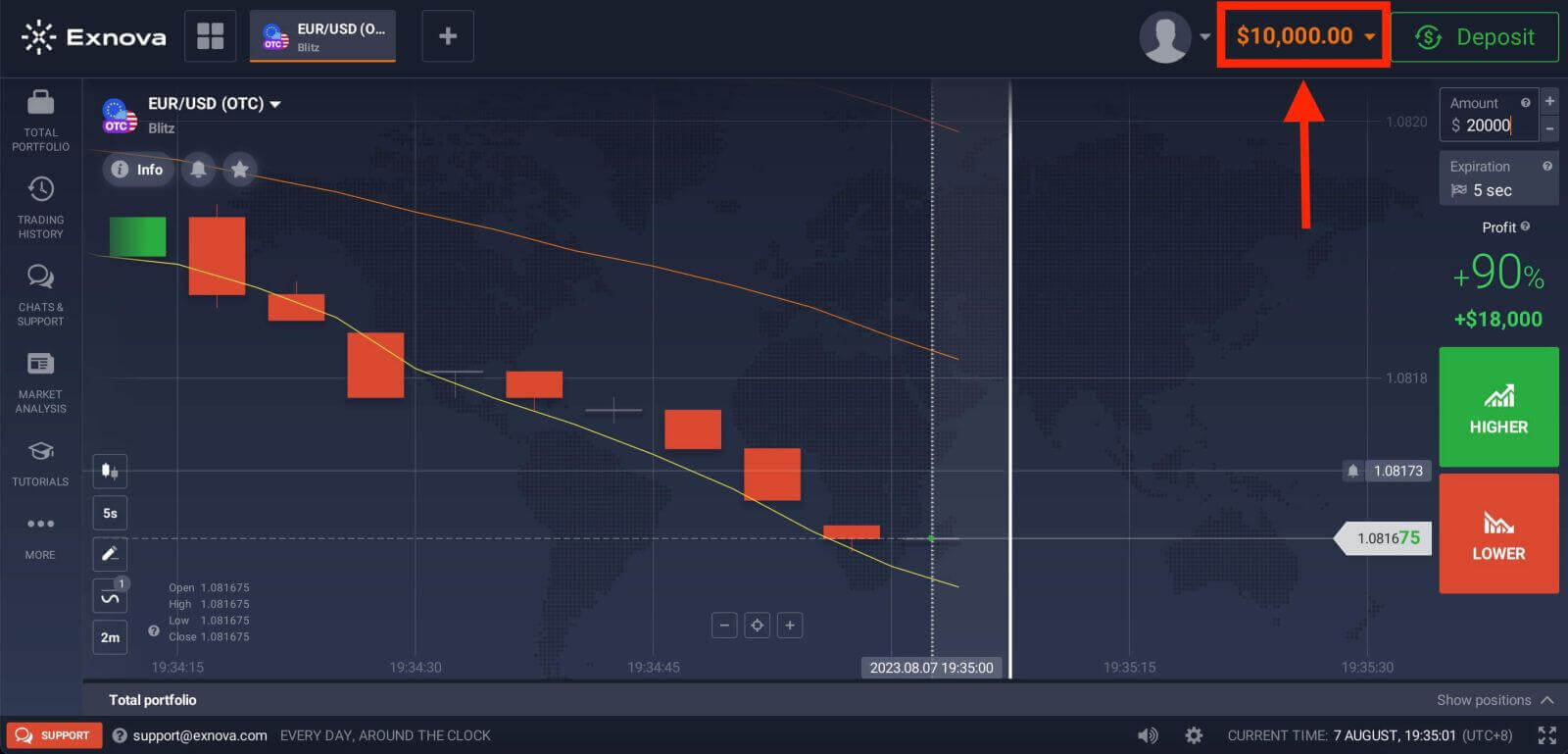
You can also trade on a Real account after depositing by clicking "Deposit" in the upper right corner page. Exnova typically offers various funding options, including credit/debit cards, e-payments, and crypto (The minimum deposit is 10 USD).
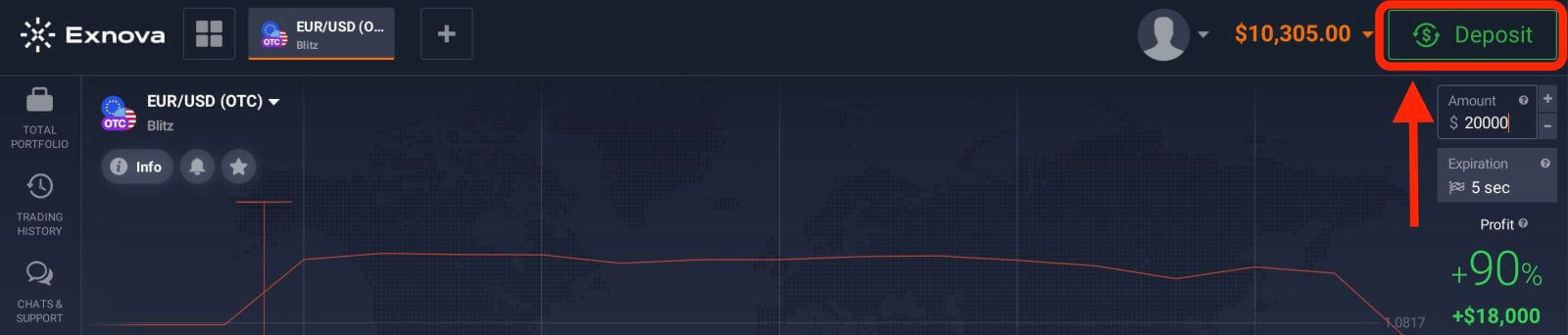
Refer to this article to know more about Deposit: How to Deposit on Exnova
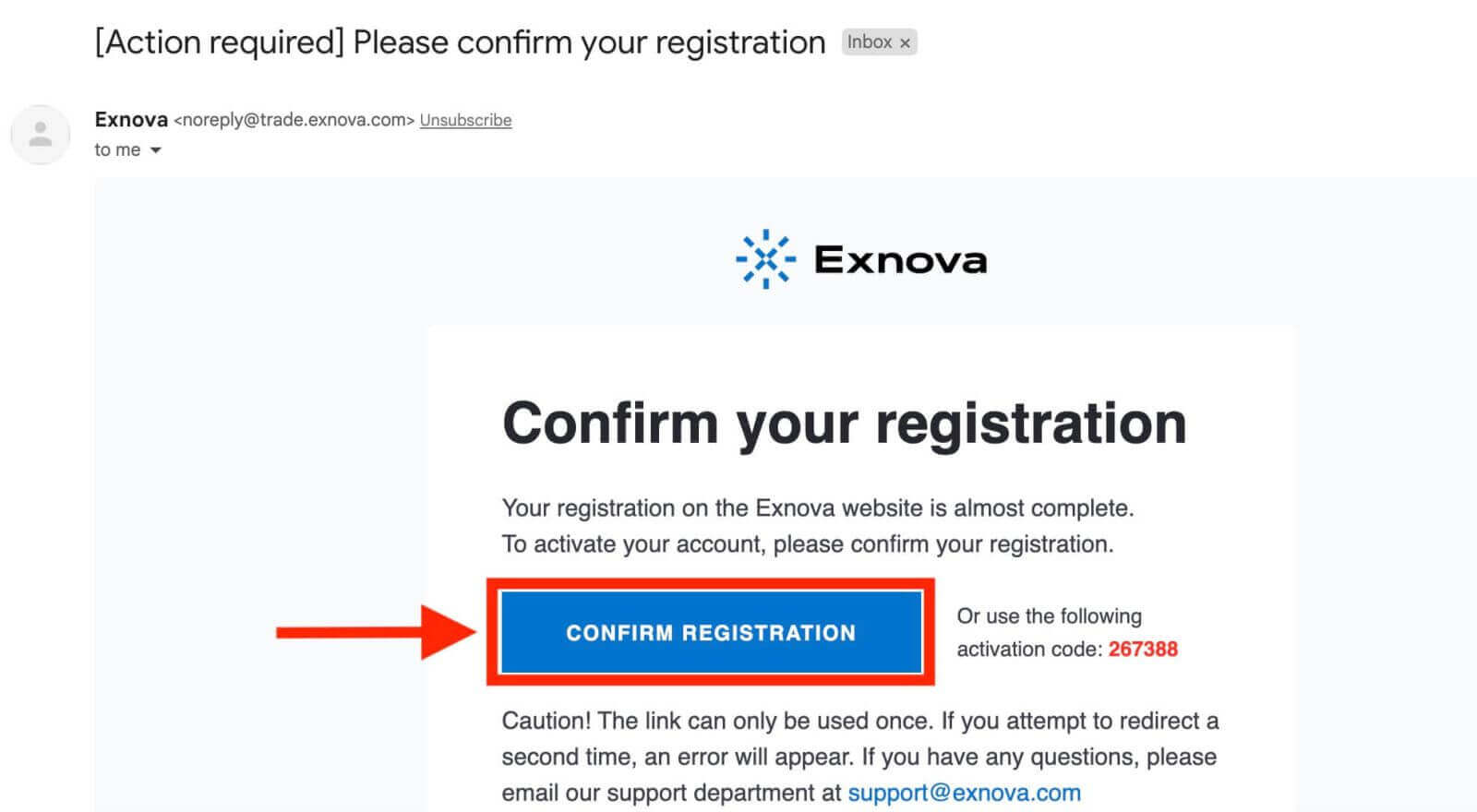
Finally, access your email, Exnova will send you a confirmation mail. Click the link in that mail to activate your account. So, you will finish registering and activating your account.
How to Open a Trading Account with Google on Exnova
Also, you have the option to open an Exnova account using Google which is a quick and easy way to create your trading account and start trading.1. To register, you need to authorize your Google account by clicking on the corresponding button in the registration form.
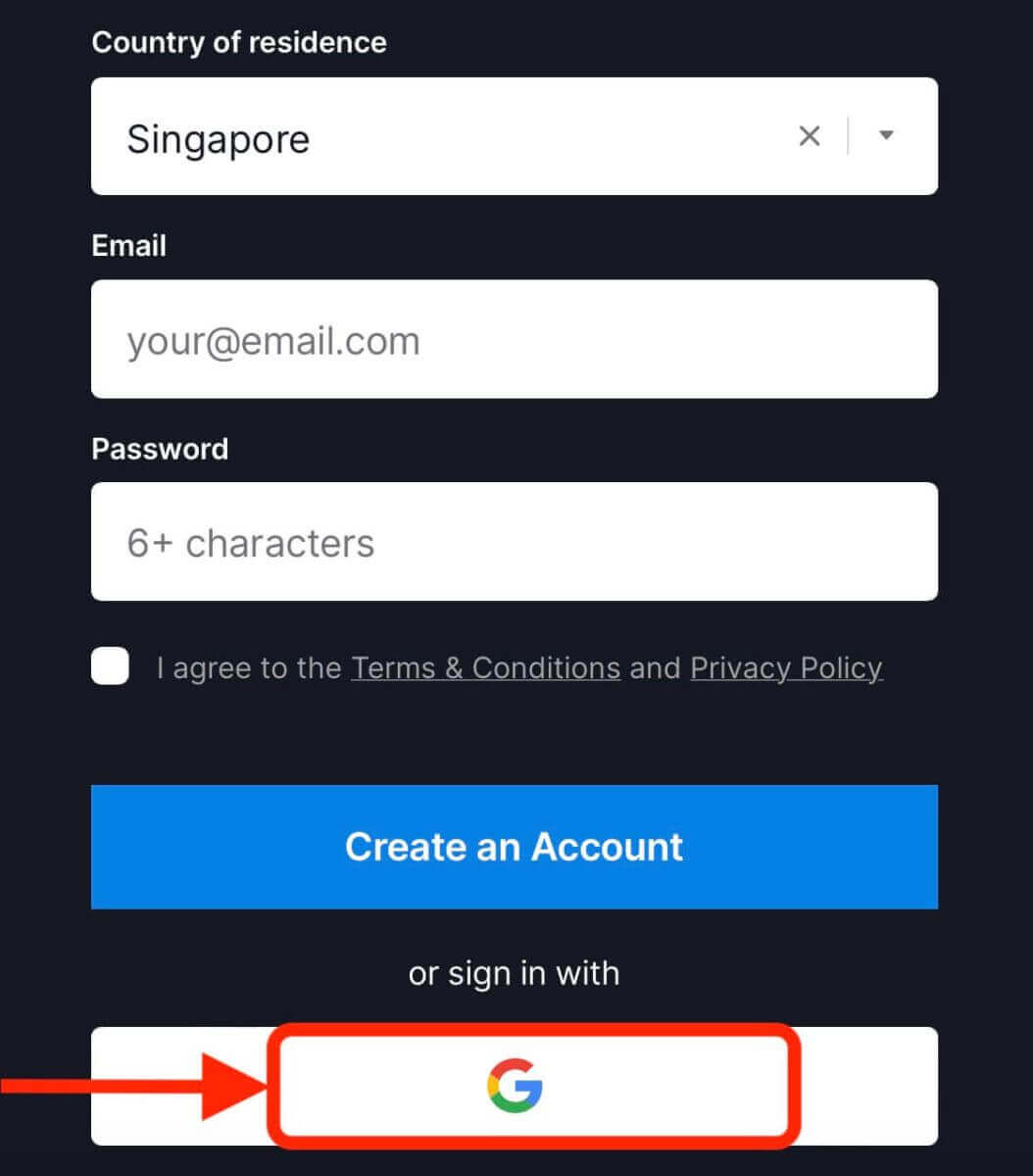
2. You will be redirected to a Google sign-in page where you can enter your Google account credentials.
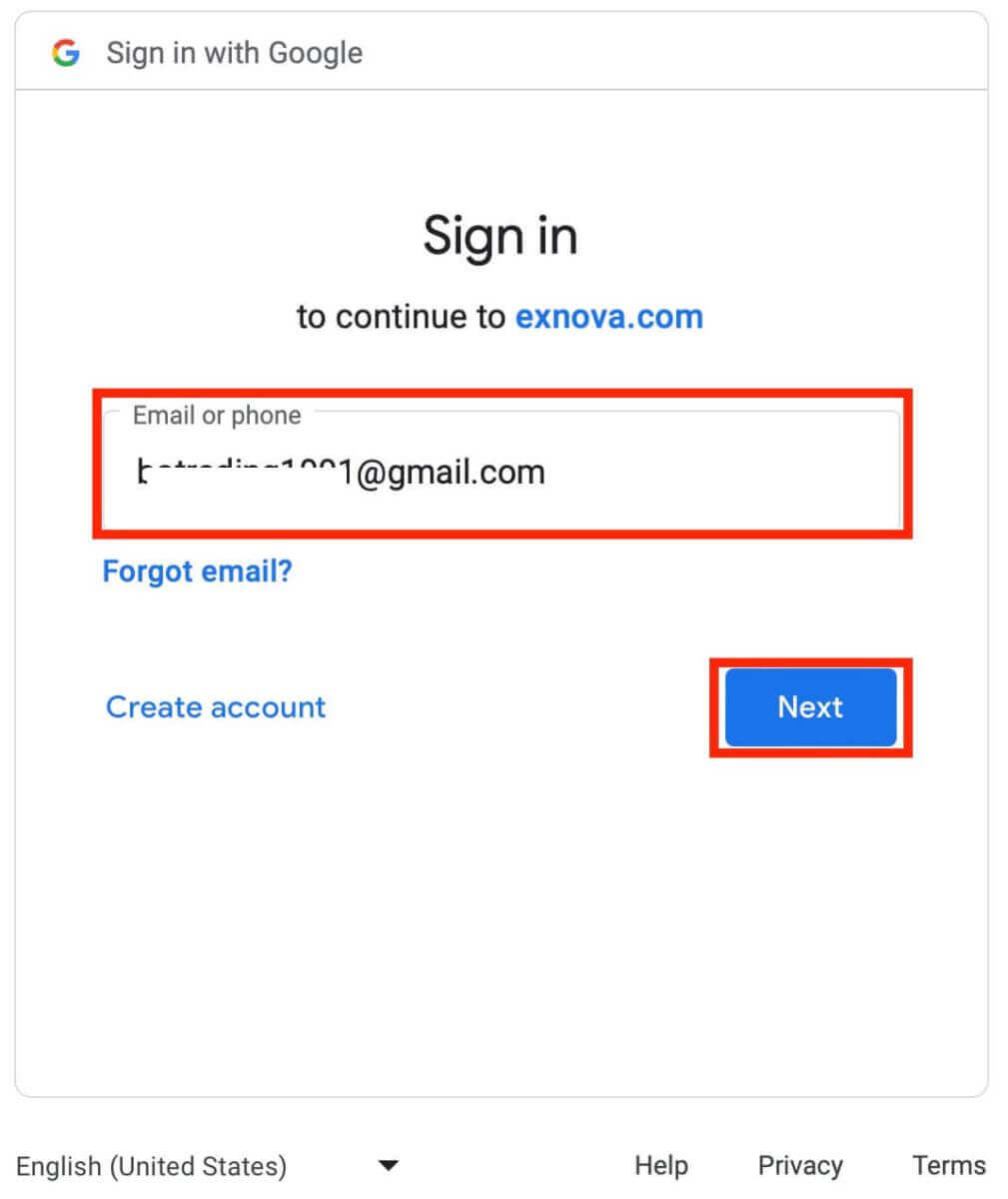
3. Then enter the password for your Google account and click “Next”.
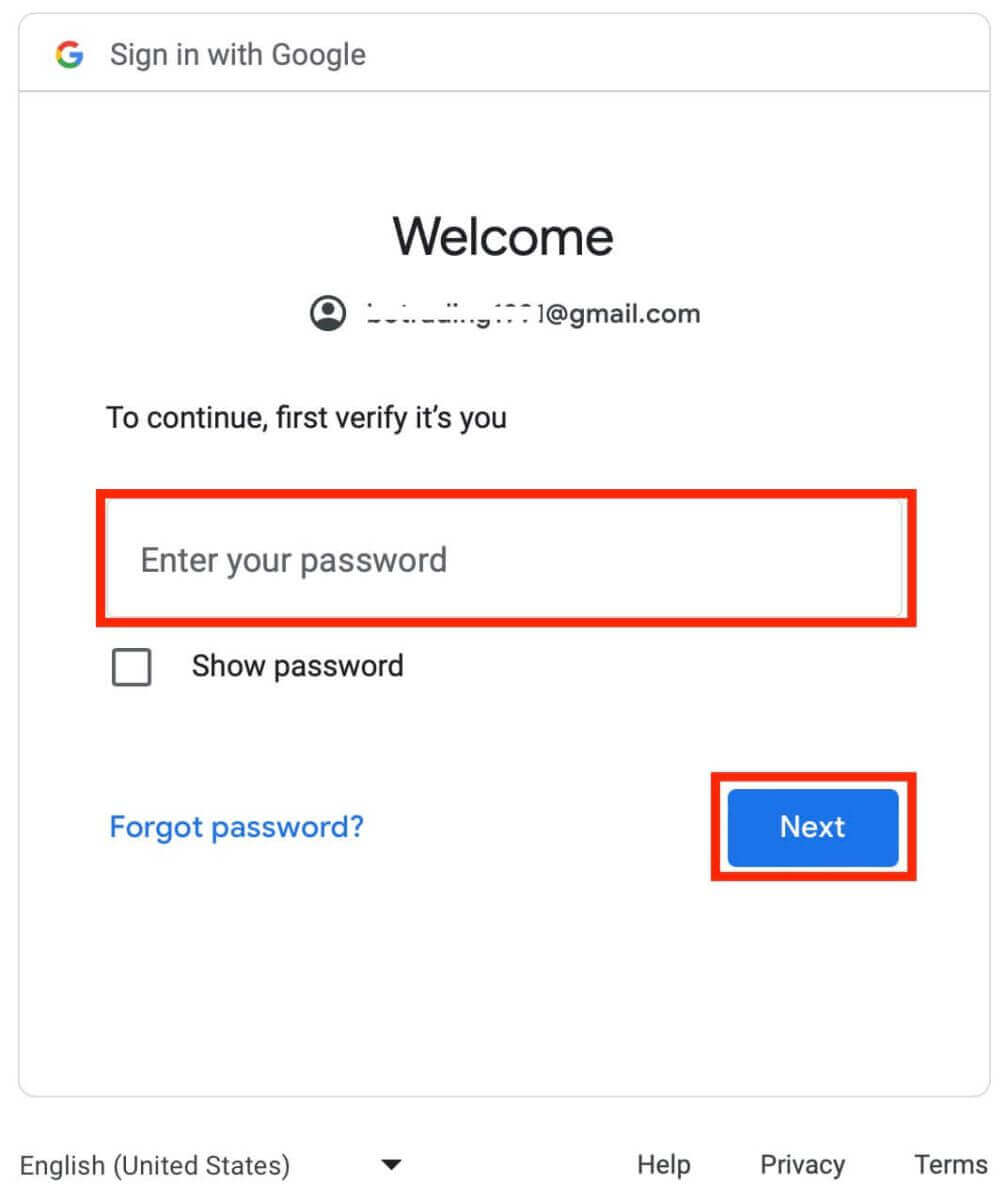
Congratulations! You have successfully registered on Exnova with a Google account. You will then be taken to your Exnova dashboard where you can complete your profile, verify your identity, deposit funds and start trading.
You can now enjoy the benefits of trading on one of the most advanced and user-friendly platforms in the market.
Open a Trading Account on Exnova App Android
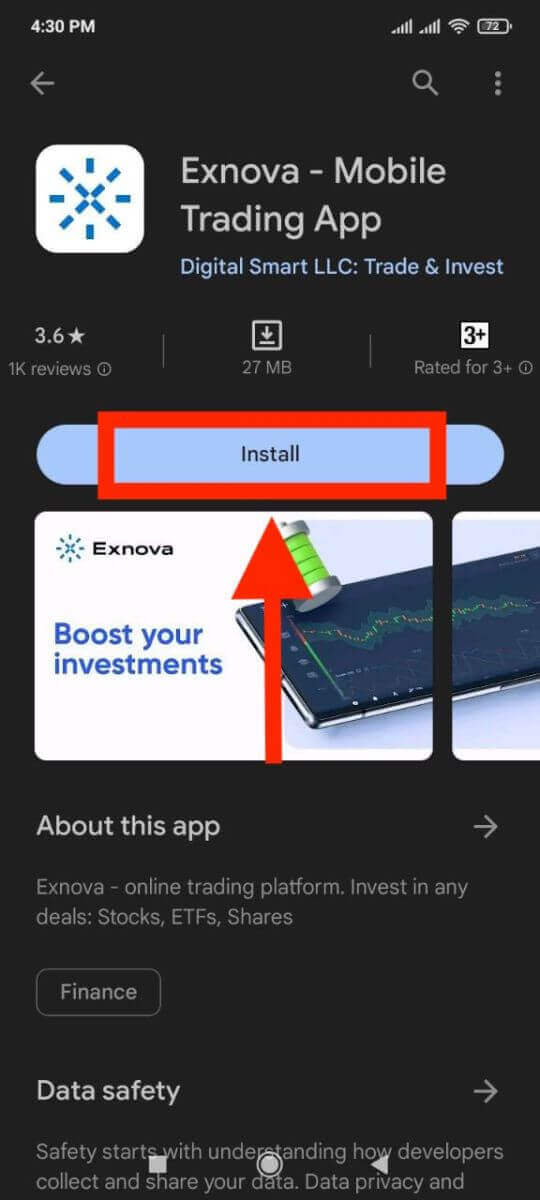
If you are looking for a convenient and user-friendly way to trade on your mobile phone, you may want to try the Exnova app android. We will show you how to download, install and register an account on the Exnova app in a few simple steps, which is one of the most convenient ways to trade on the go.Step 1: Download the app.
To download the Exnova app Android, you can go to the Google Play Store and search for "Exnova – Mobile Trading App" or click here.
Step 2: Register an account on the Exnova app.
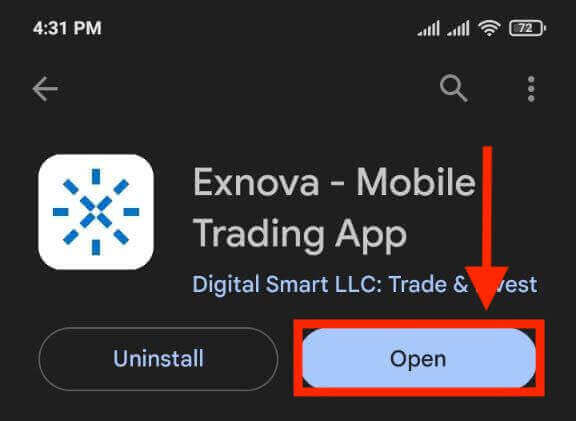
Once you have downloaded and installed the app, open it and you will see a registration form.
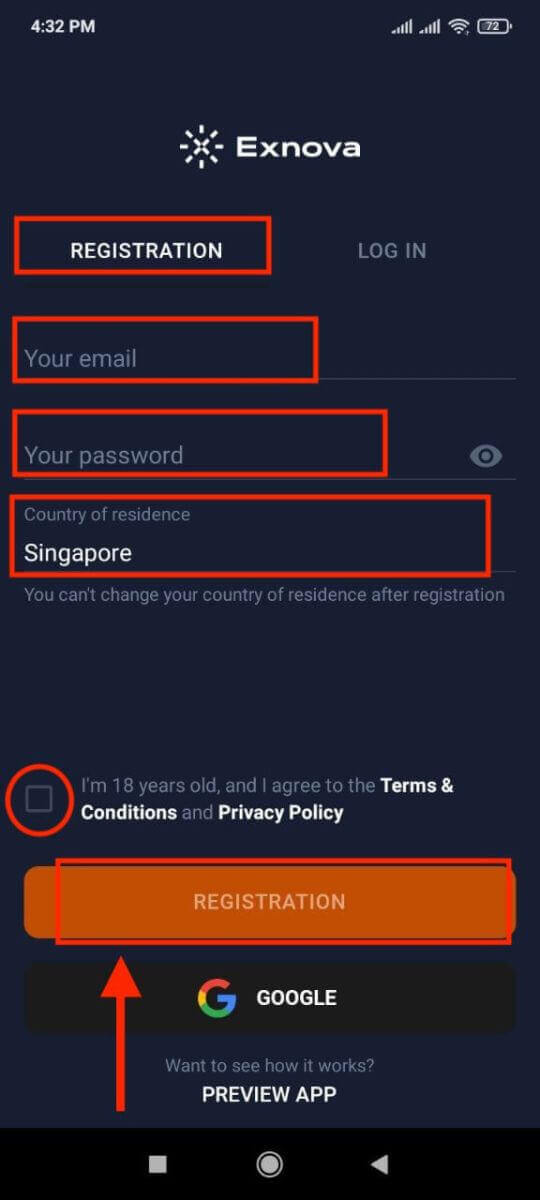
Fill in the registration form with your personal details:
- Enter a valid email address.
- Create a strong password.
- Select your country of permanent residence.
- Agree to the terms and conditions of the platform and click "REGISTRATION".
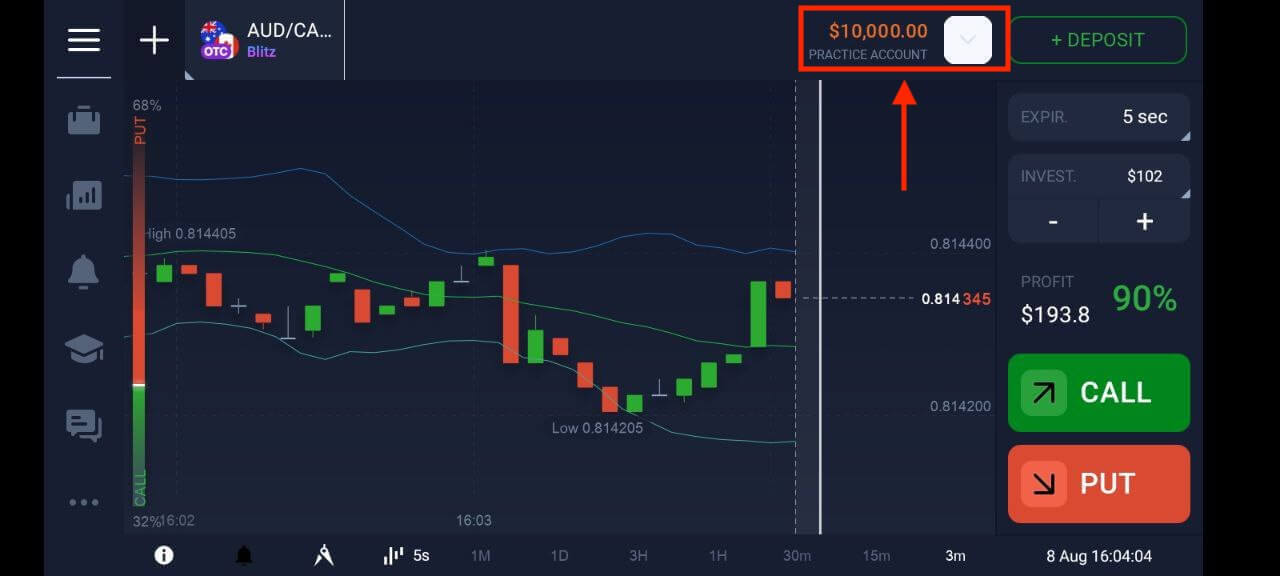
Congratulations, you have successfully created your Exnova account. You have $10,000 in your Demo Account. You can choose from hundreds of assets to trade, analyze price charts, use various indicators and tools, set up alerts and notifications, make deposits and withdrawals, contact customer support and more. You can switch between a free demo account and a real account by tapping on the balance icon at the top right corner.
Open Exnova Trading Account on Mobile Web Version
We will show you how to register an Exnova account on the mobile web, which is compatible with any device and browser.Step 1: Open up your browser on your mobile device. After that, visit the Exnova website.
Step 2: On the homepage, you will see a "Sign up" button at the top. Click on it to open a registration form.
You will need to select your country and enter your email address, create a password and agree to the terms and conditions of Exnova. You can also sign up with your Google account if you prefer.
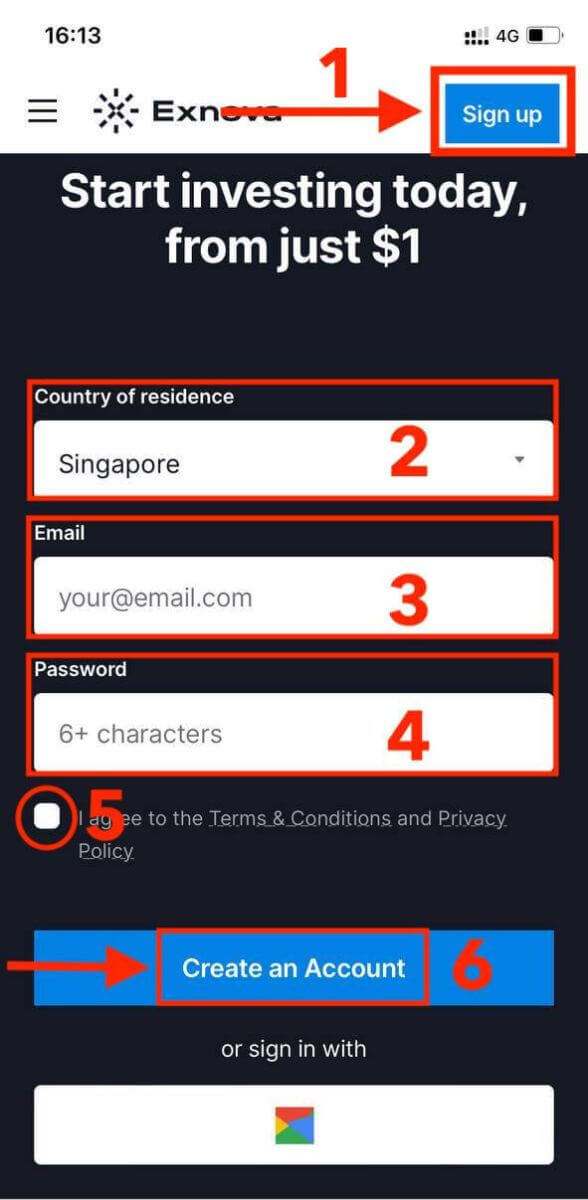
Congratulations! You have successfully registered an Exnova account on the mobile web version. You can now explore the platform and start trading.
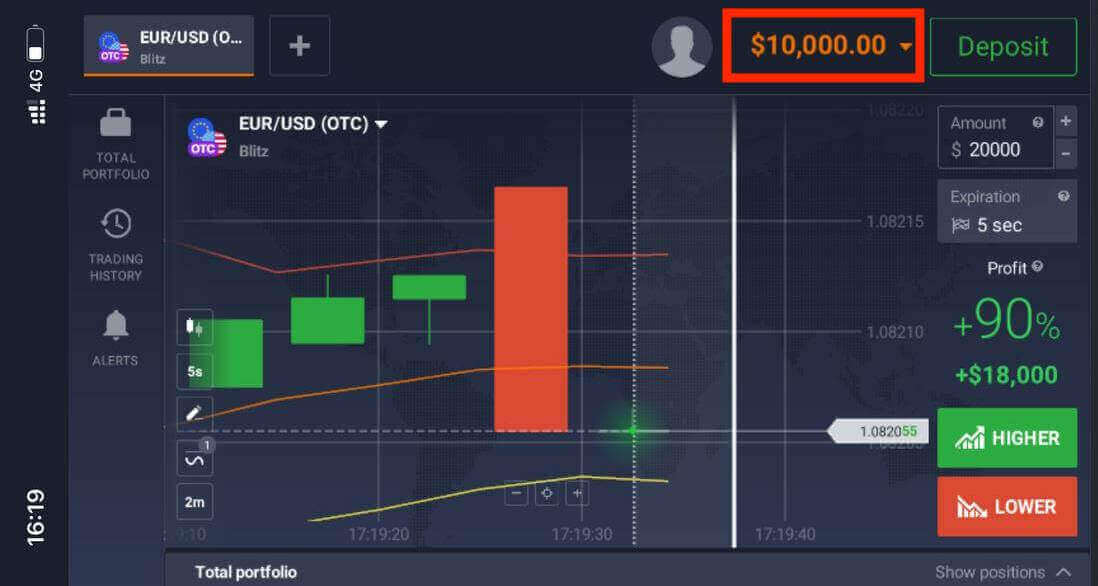
The mobile web version of the trading platform is exactly the same as the regular web version of it. Consequently, there won’t be any problems with trading and transferring funds.
Frequently Asked Questions (FAQ)
How much money can I make on the practice account?
You cannot profit from the trades you make on a practice account. On a practice account, you receive virtual funds and make virtual trades. It is designed for training purposes only. To trade with real money, you need to deposit funds into a real account.
How do I switch between a practice account and a real account?
To switch between accounts, click on your balance in the upper right corner. Make sure that you are in the trading room. The panel that opens displays your accounts: your real account and your practice account. Click on the account to make it active. Now you can use it to trade.
How do I top up my practice account?
You can always top up your practice account for free if your balance drops below $10,000. You must first select this account.
How can I secure my account?
To secure your account, use two-step authentication. Each time you log in to the platform, the system will prompt you to enter a special code sent to your email address. You can activate this in Settings.Conclusion: Trade So Easy - Effortlessly Open Your Trading Account on Exnova
Opening a trading account on Exnova marks the beginning of an exciting venture into the realm of online trading, where opportunities to explore various financial instruments and markets abound. Through meticulous research and thoughtful consideration, you’ve chosen a platform that values security, transparency, and user-friendly functionality.By following this comprehensive guide, you can set yourself up for success in the world of online trading while utilizing Exnova’s advanced trading platform to make informed investment decisions. May your trading journey be marked by prosperity, knowledge, and the satisfaction of making well-informed decisions in the ever-evolving landscape of online trading.
FAQs
Exnova typically requires a government-issued photo ID (passport, national ID, or driver's license) and a proof of residence (utility bill or bank statement). Documents must be clear, show full name and address, and match your application. Additional KYC checks such as source-of-funds may be requested for higher-tier accounts or large deposits. Upload high-quality scans and ensure files meet the platform's format and size requirements to avoid delays.
Account creation is immediate after you submit basic details, but verification times vary. Identity checks usually complete within 24–72 hours if documents are clear; funding methods and anti-fraud reviews can add extra time. Some payment options post instantly while bank transfers take longer. To trade live you must pass verification and meet any minimum funding; consider using the demo account to practice while waiting.
Minimum deposits depend on the account type and payment method you select. Exnova lists minimums on the registration or funding page; common entry-level accounts may accept modest sums, while premium tiers require higher opening balances. Check the account options in your dashboard before funding and contact support if the required amount is unclear.
First, check that all fields are filled exactly as on your ID and that uploaded documents are legible and within file-size limits. Clear your browser cache or try a different browser or device. Disable VPNs and ensure your internet connection is stable. If you see a specific validation message, correct the indicated field (email format, phone code, or mismatched name). If the problem persists, save screenshots and contact Exnova support with your application reference; they can identify backend issues or manual holds.
Set a strong, unique password and enable two-factor authentication if available. Verify contact details (email and phone) and review account permissions and linked devices. Avoid sharing login credentials, use a reputable password manager, and watch for phishing emails claiming to be from Exnova. Keep your identity documents stored securely and ensure withdrawals require a verified payment method to reduce fraud risk. Contact support immediately for any suspicious activity.