Exnova Account Verification: Steps, Documents, Approval Times

On Exnova the verification process centers on two confirmations: identity (government ID and a selfie) and address (utility bill or bank statement). Prepare color scans or clear photos, ensure document dates and names match your account profile, and upload accepted file types such as PDF, JPG or PNG from your account dashboard. Make sure selfies show your face clearly and, where requested, hold your ID next to your face; avoid cropped or edited images. Documents are checked against KYC and AML rules; keeping files legible and contact details consistent speeds approval and avoids follow-up requests.

How do I verify my account on Exnova
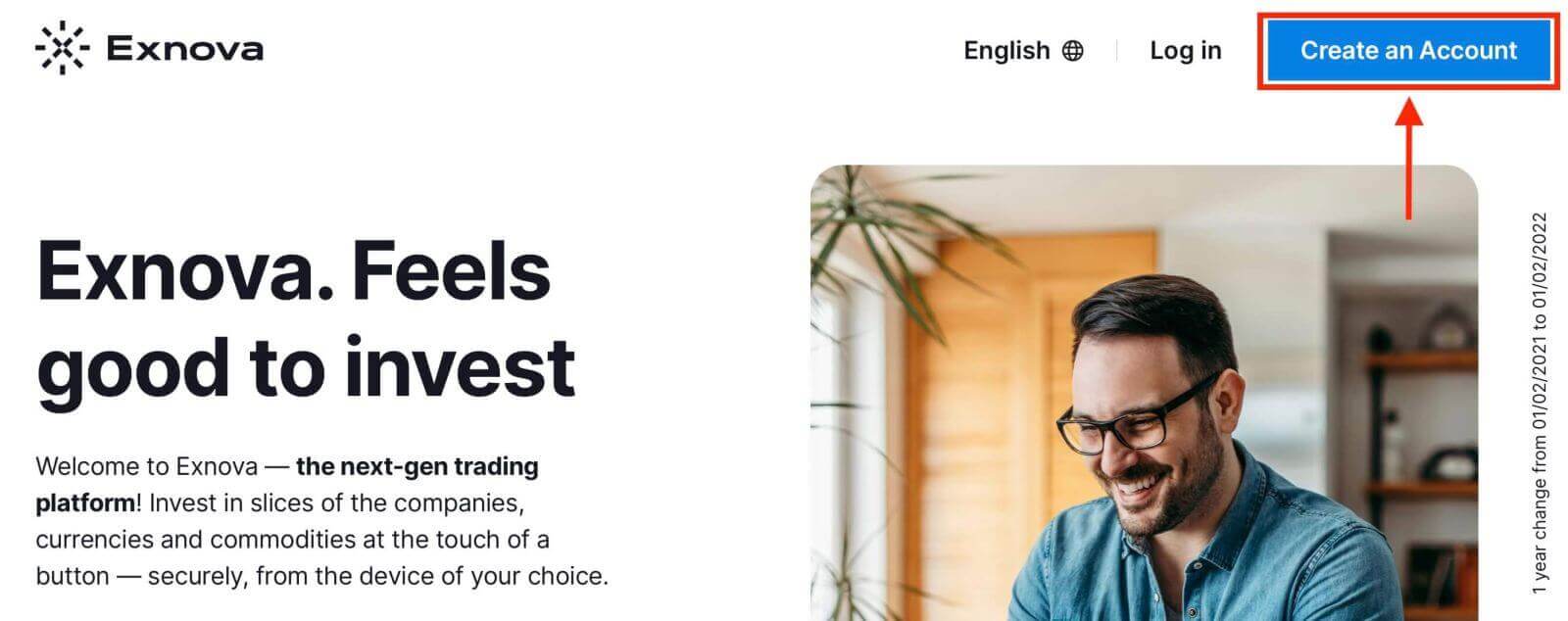
Step 1: Login or Sign UpIf you’re not already a member, create an account using your email address or preferred social media account.
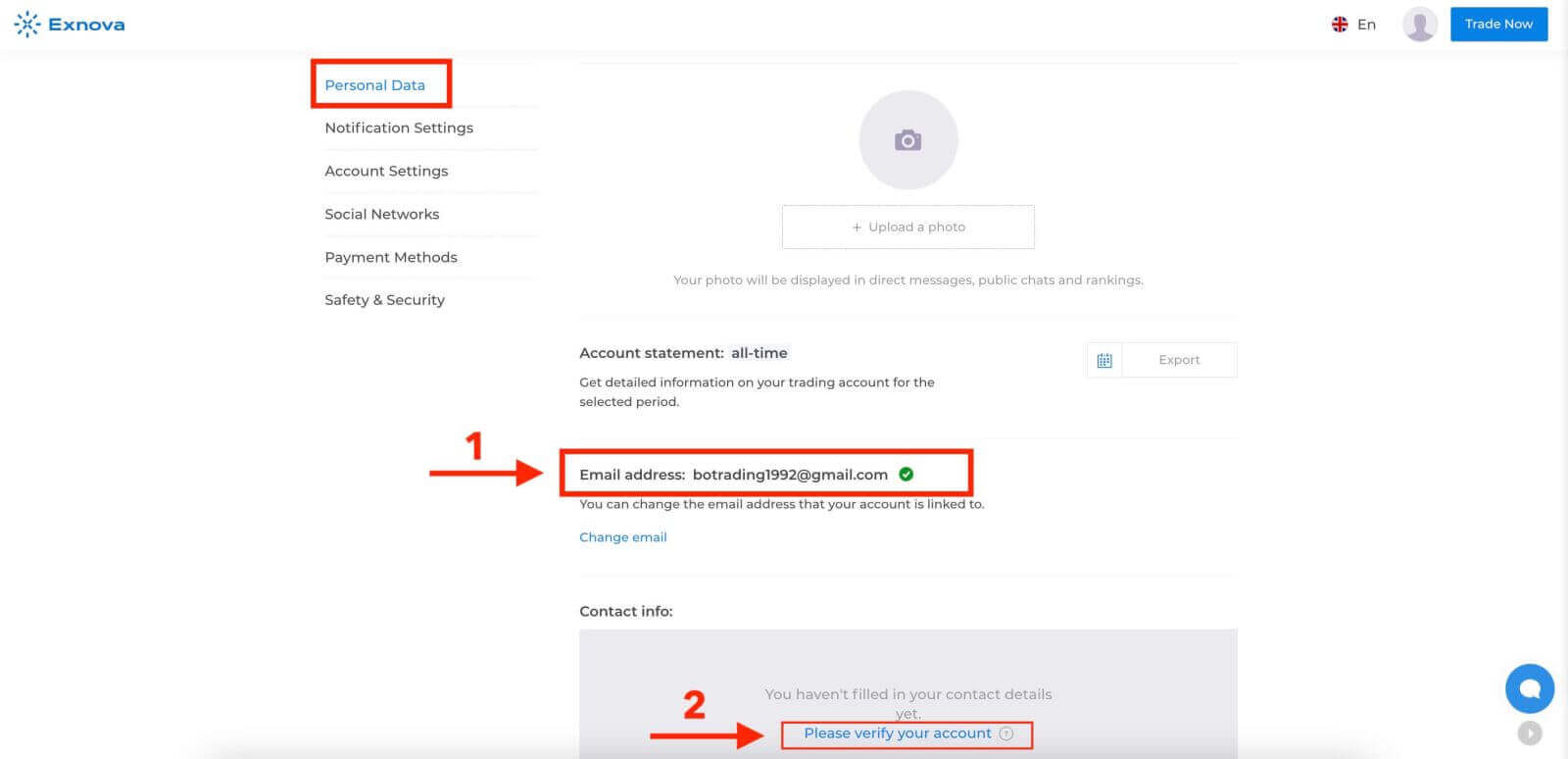
Step 2: Navigate to Account Settings
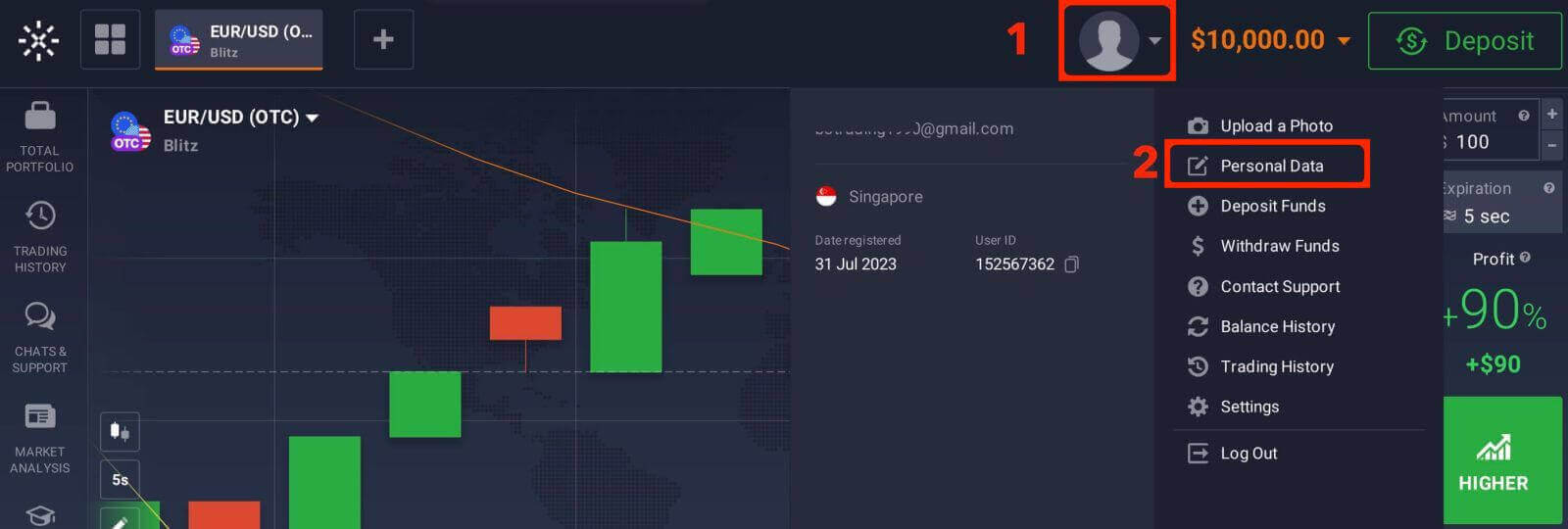
Once logged in, locate the "Personal Data" section on the platform.
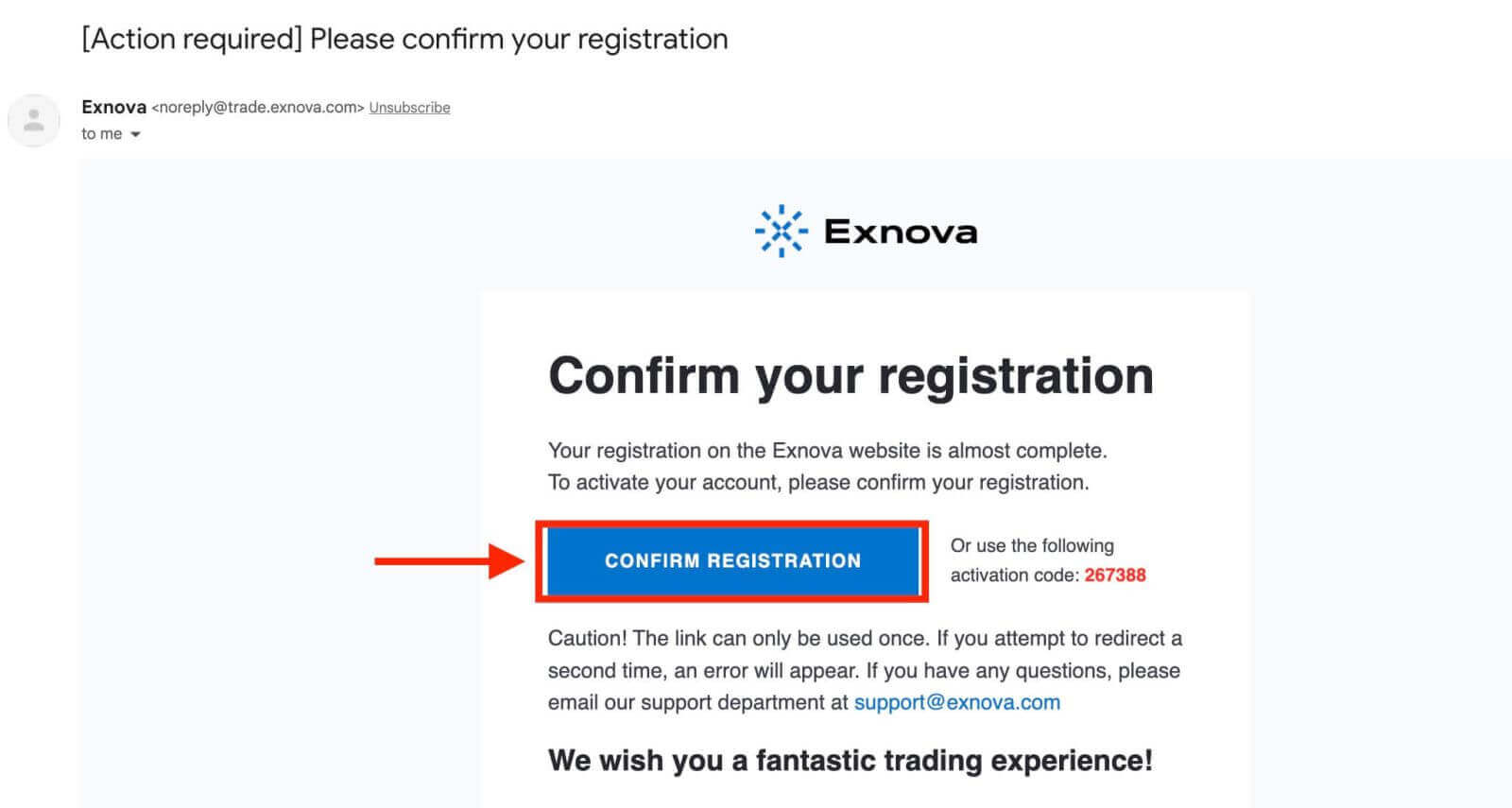
Step 3: Verify the Email Address
The basic level of verification requires users to verify their email addresses during the account creation process.
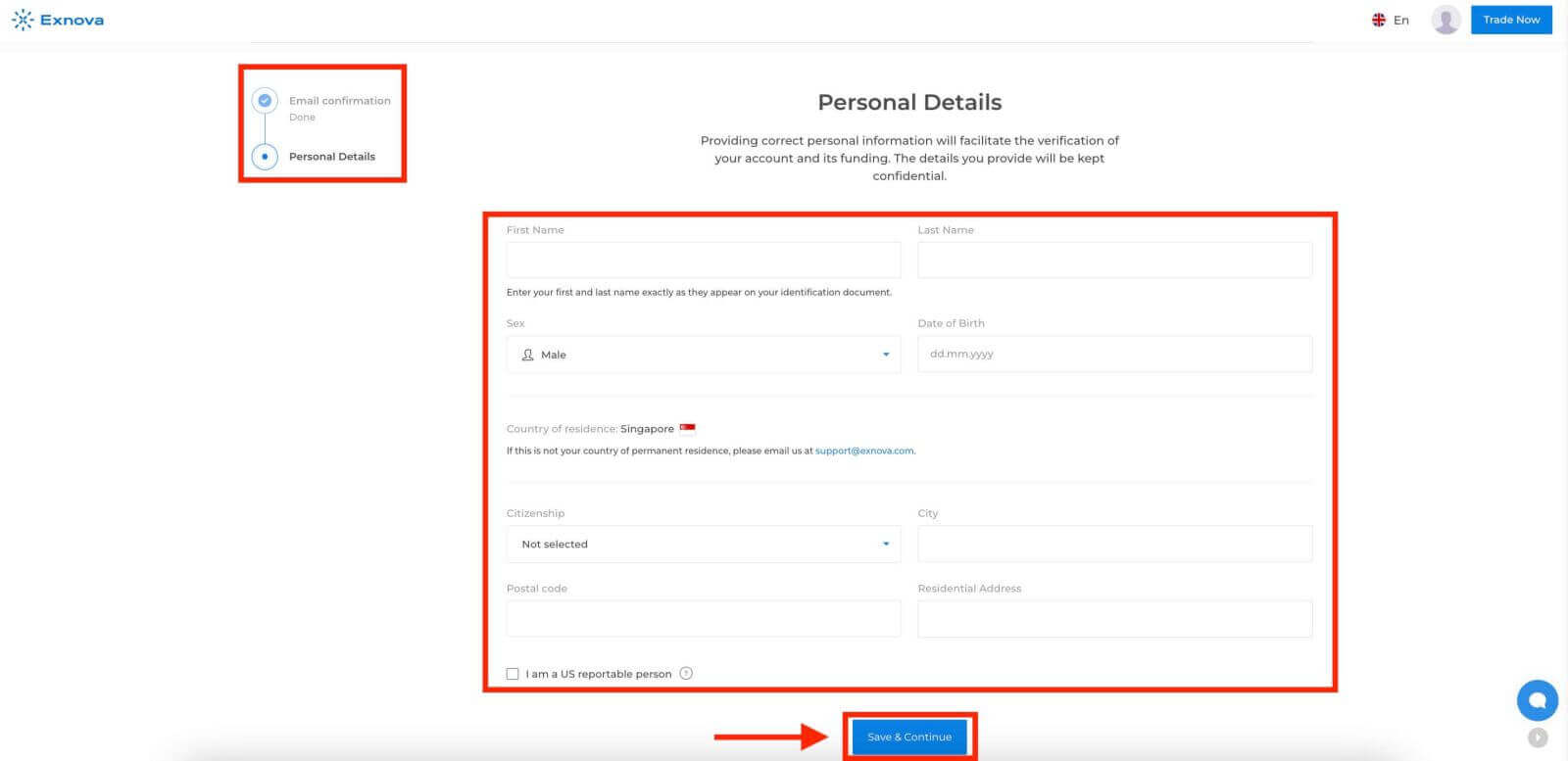
Step 4: Provide Necessary Information
Exnova will guide you through the verification process, which may involve submitting personal information such as your full name, date of birth, city, and more, and possibly additional documentation.
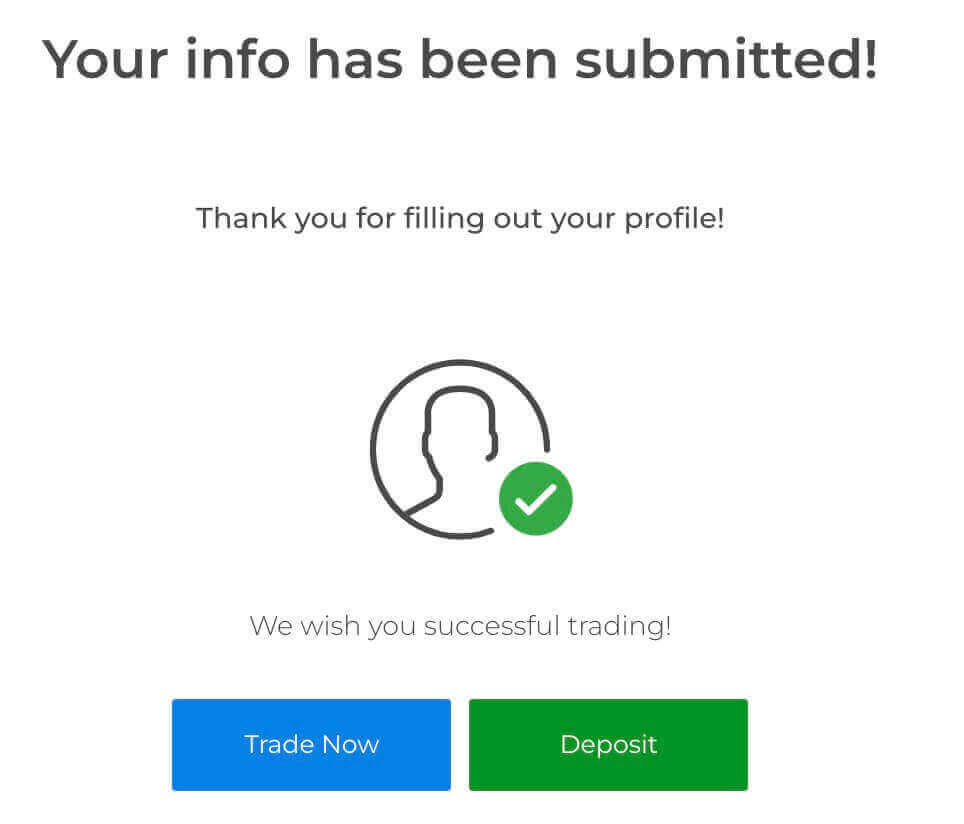
After submitting your information, you will receive a notification confirming your account’s verification status.
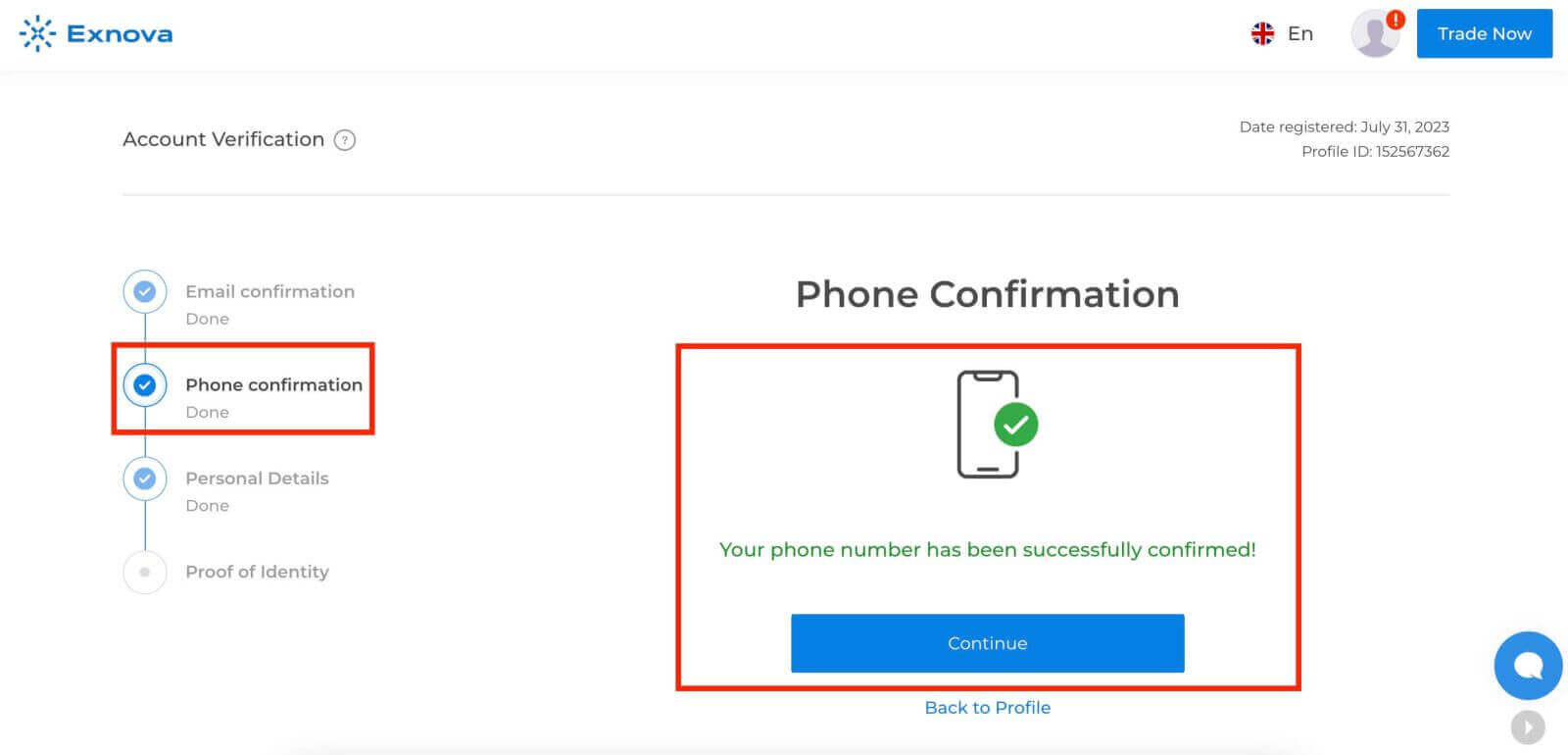
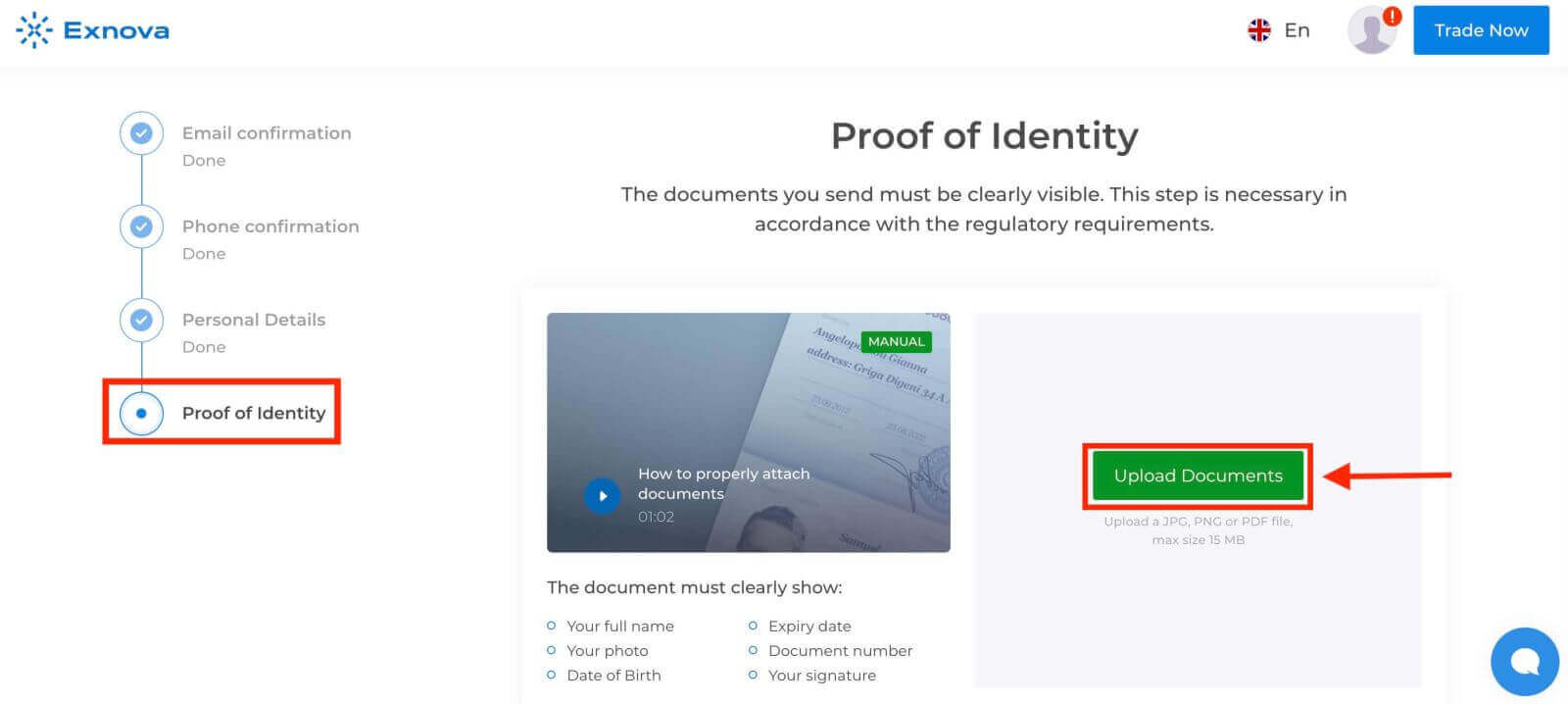
Then, Exnova asks you to provide your phone number and identification (e.g., driver’s license, passport, ID card), and possibly additional documentation.
Phone confirmation
Proof of Identity
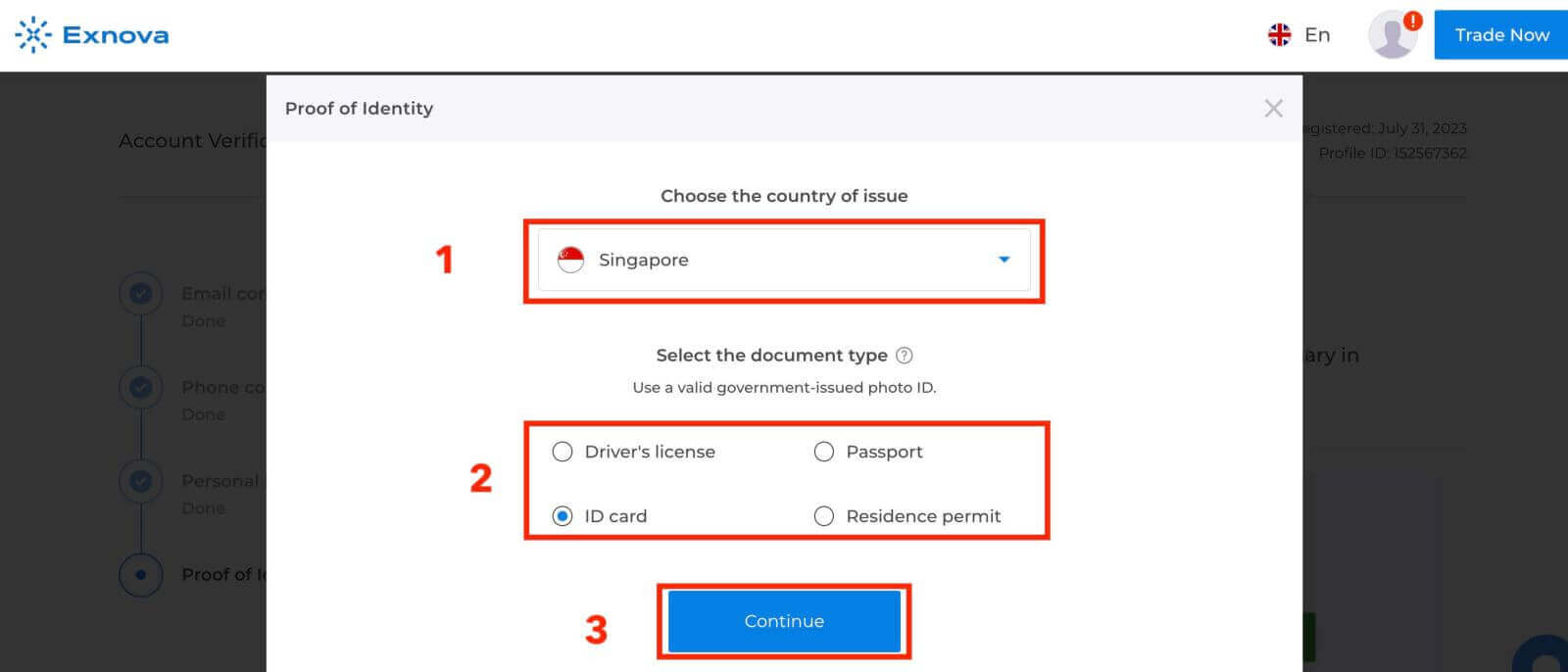
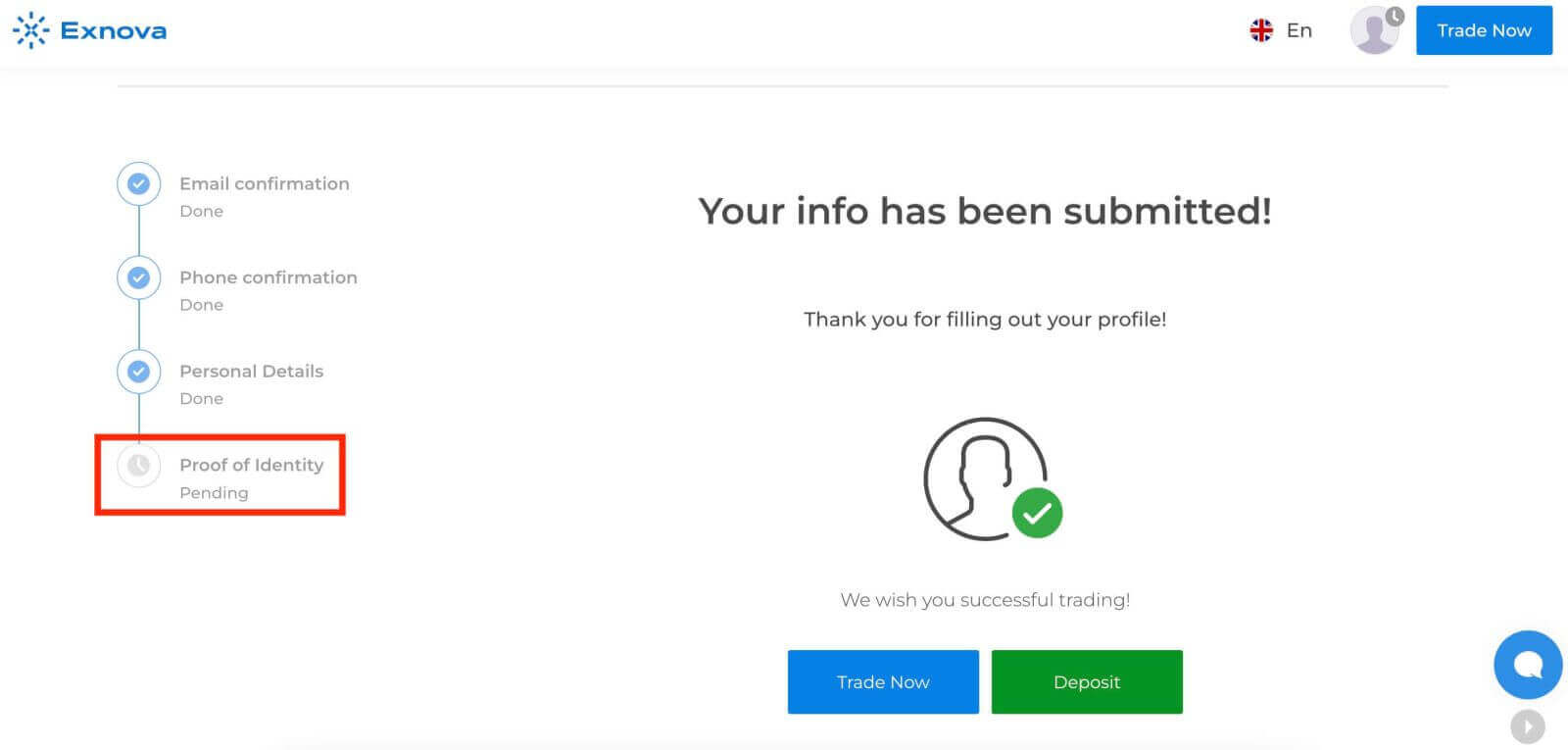
Step 5: Confirmation and Approval
After submitting your information, Exnova’s verification team will review your details. This process ensures the accuracy and authenticity of the provided information.
Step 6: Notification of Verification
Once approved, you will receive a notification confirming your account’s verification status. Your profile may display a verification badge or indicator.
Two-Factor Authentication (2FA) on Exnova Login
Exnova might incorporate an extra security measure, like two-factor authentication (2FA), which, if activated for your account, will trigger the delivery of a unique code to your email. Input this code as instructed to finalize the authentication procedure.To set up 2FA on Exnova, follow these steps:
1. After logging in to your Exnova account, navigate to the account settings section. Typically, you can find this by clicking on your profile picture and clicking "Personal Data" from the dropdown menu.
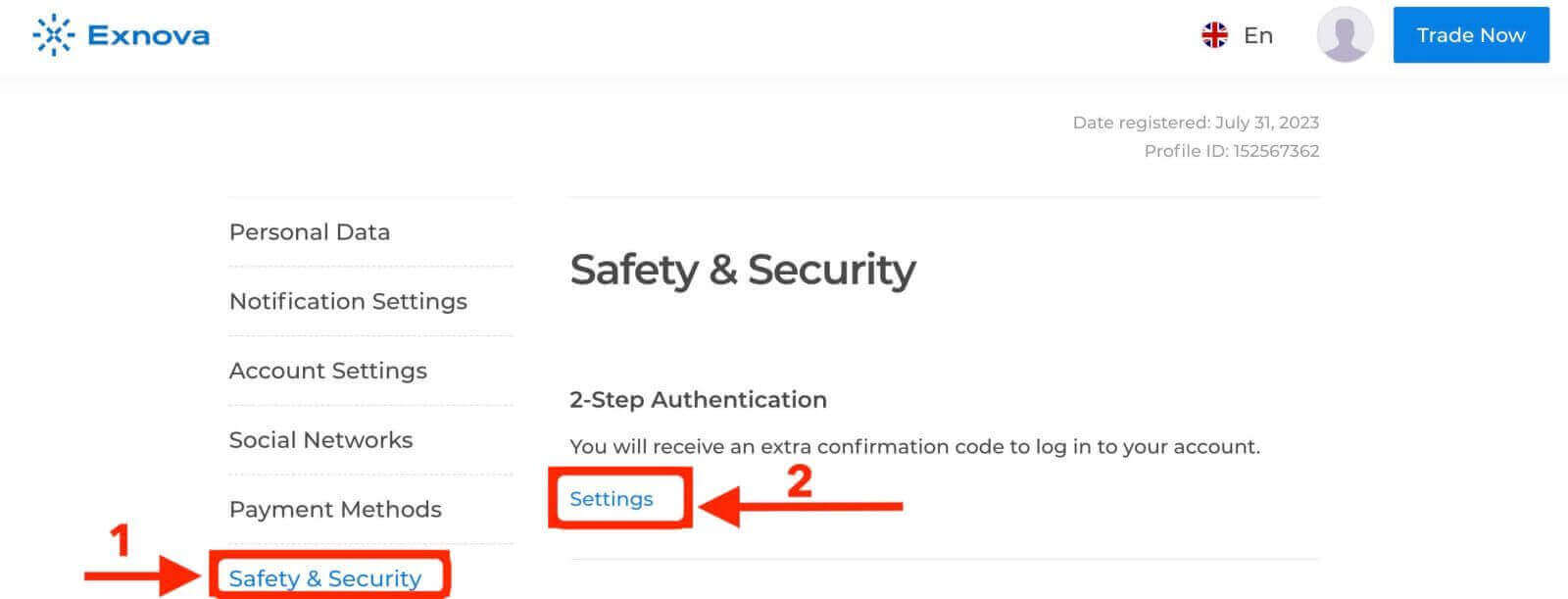
2. Click on the "Safety Security" tab in the main menu. Then, click "Settings".
3. Follow the instructions provided to complete the process.
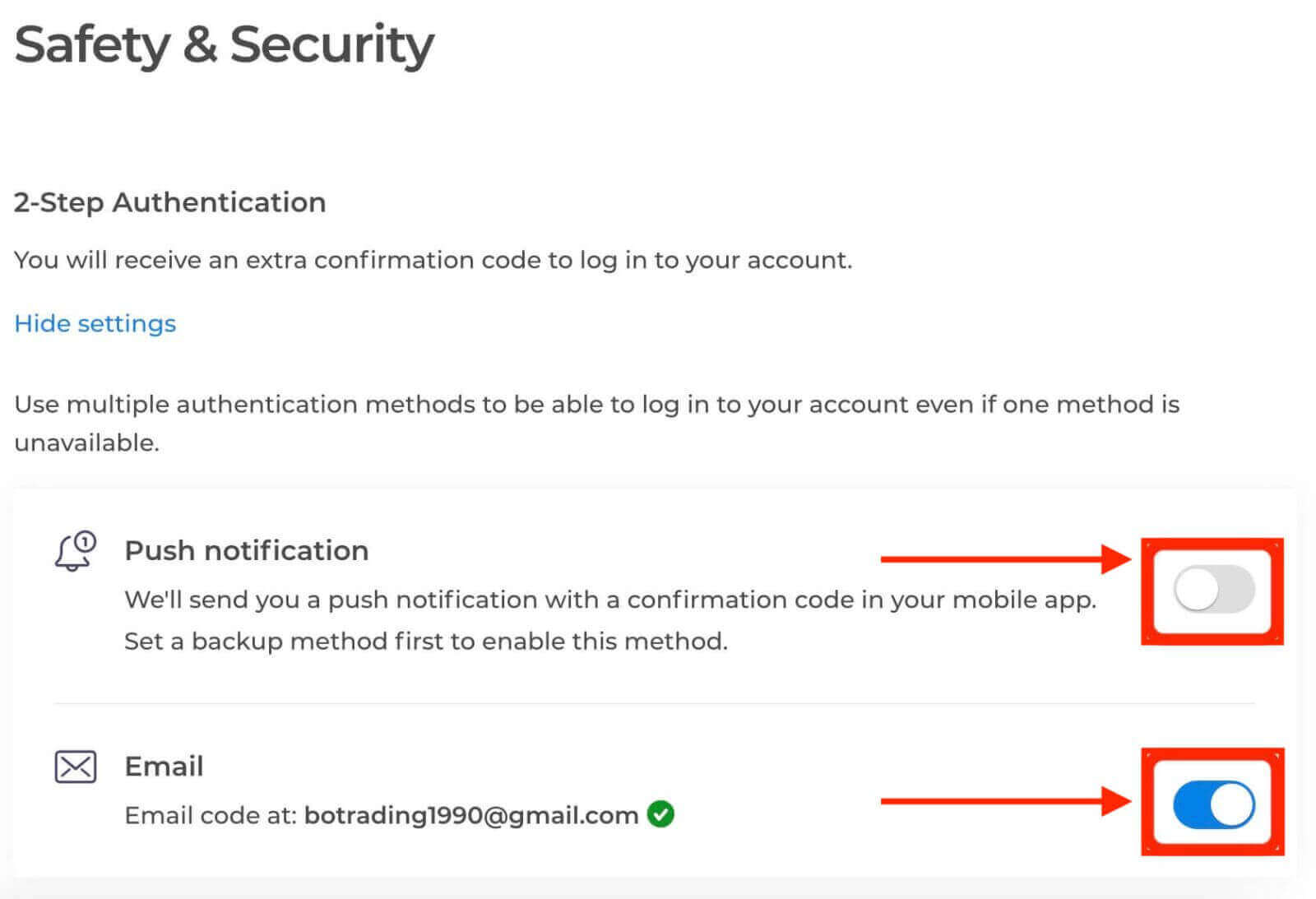
Two-factor authentication (2FA) is an essential security feature on Exnova. Once you have set up 2FA on your Exnova account, you will be required to enter a unique verification code every time you log in.
Benefits of Verifying Your Exnova Account
Verifying your Exnova account offers several compelling benefits that contribute to a safer and more seamless online experience:
-
Enhanced Security: Account verification helps protect your account from unauthorized access and potential cyber threats. By confirming your identity, Exnova can distinguish between genuine users and potential impostors.
-
Trust and Credibility: A verified account holds more credibility within the Exnova community. Other users are more likely to engage with you, whether in discussions, collaborations, or transactions, knowing that your identity has been confirmed.
-
Access to Premium Features: In some cases, verified users gain access to premium features or exclusive content on the Exnova platform. This enhances the overall user experience and provides additional value.
-
Faster Customer Support: Verified users might receive priority customer support, ensuring that any issues or queries are addressed promptly.