Exnova Open Account and Withdraw: Process & Timelines

This page outlines the practical workflow for opening an Exnova account and the steps to request a withdrawal: creating and configuring your account, completing verification, funding options and common payout paths. It highlights verification checkpoints, withdrawal limits, processing timelines and quick troubleshooting actions you can take if a payout is held, so you can avoid common mistakes and access your funds faster.

How to Open an Account on Exnova
How to Open a Trading Account on Exnova via Your Email
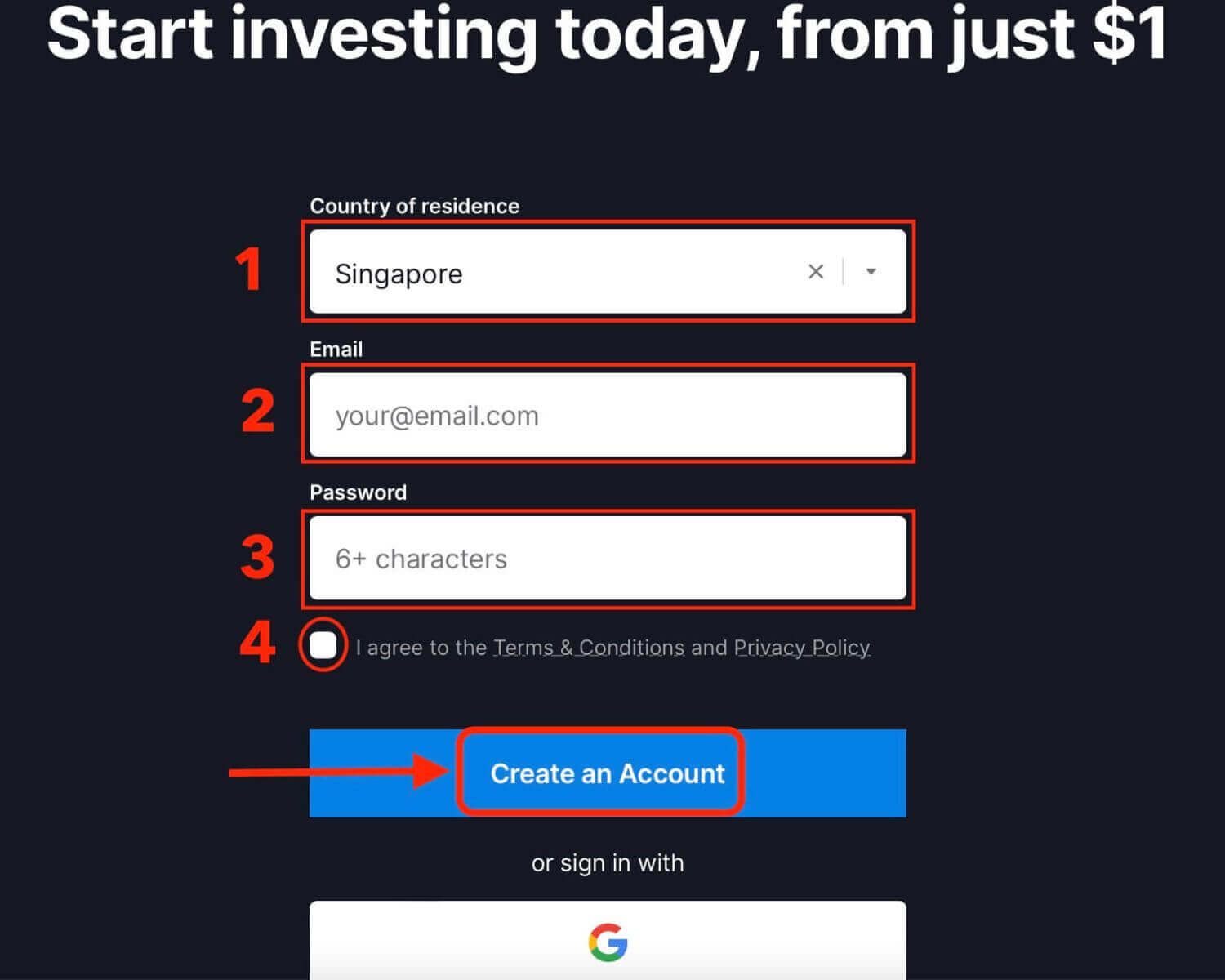
1. Visit the Exnova website and select the [Create an Account] button located in the upper right corner of the page.
2. To sign-up you need to fill in the required personal information accurately:
- Select your country of permanent residence.
- Provide a valid email address.
- Generate a strong password for security.
- Review and agree to Exnova’s Privacy Policy.
- Click on the "Create an Account" button.
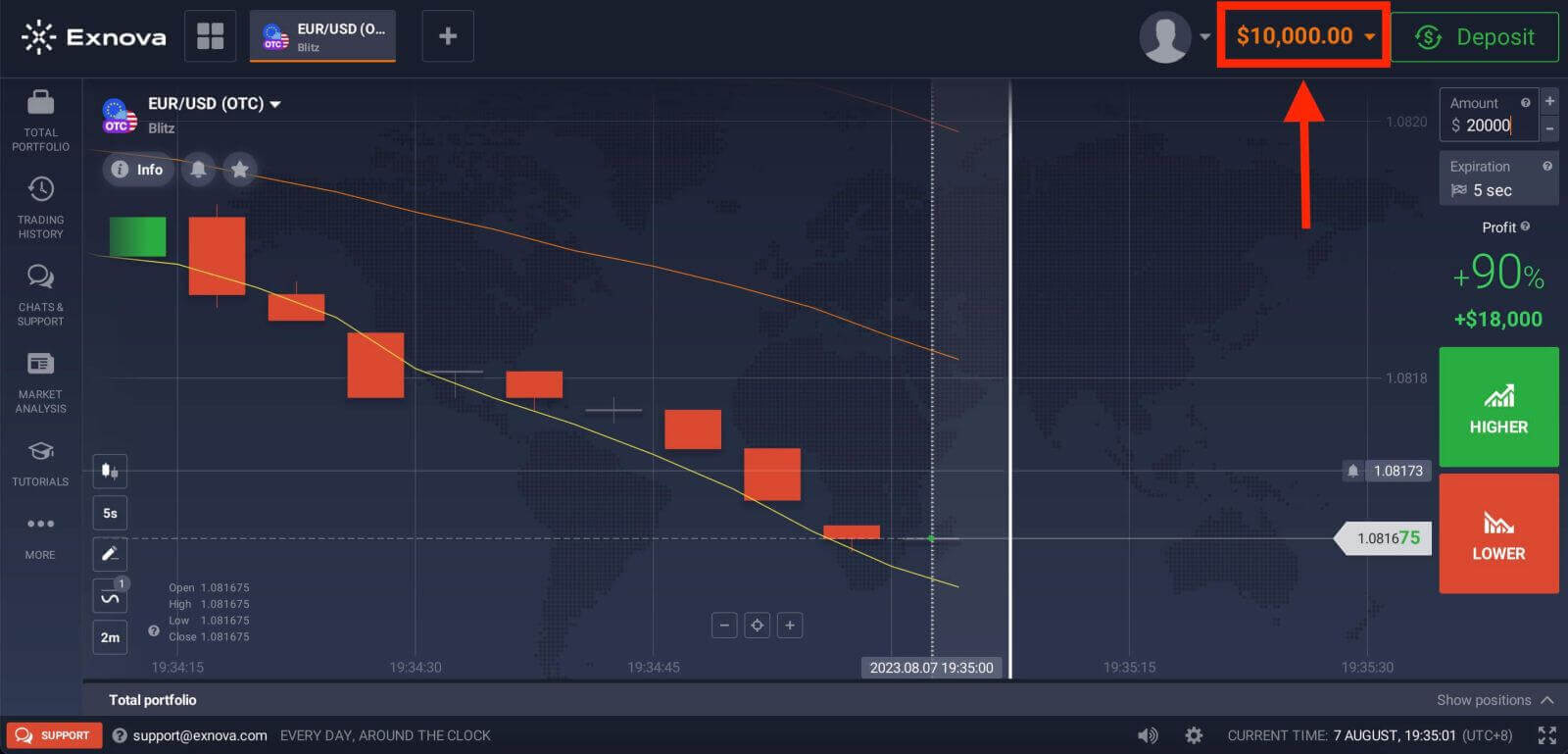
Congratulations! Your registration was successful. You now have $10,000 in your Demo Account, which serves as a tool to help you become acquainted with the platform. It allows you to practice your trading skills across various assets and experiment with new strategies using real-time charts, all without any associated risks.
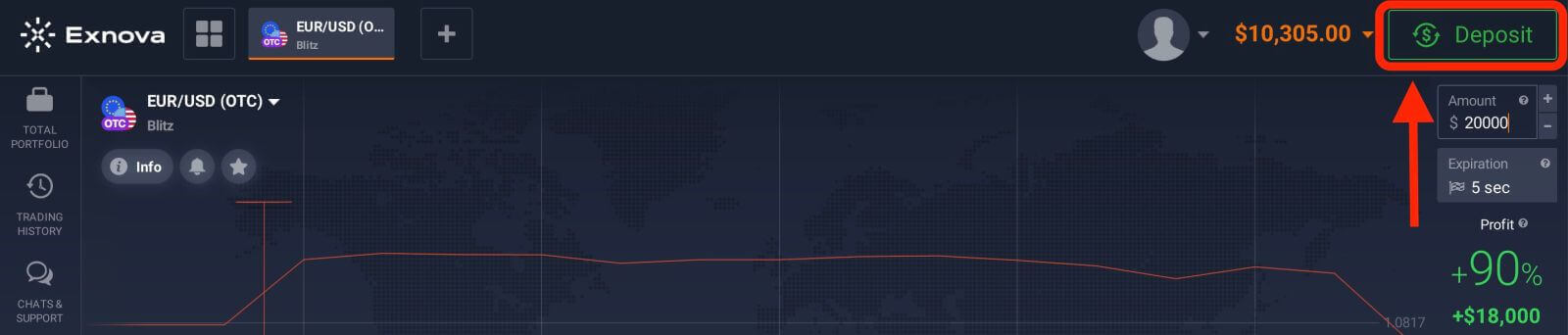
After making a deposit, you can engage in trading on a Real account by selecting the "Deposit" option located in the upper right corner of the page. Exnova commonly provides a range of funding choices, encompassing credit/debit cards, e-payments, and cryptocurrencies (with a minimum deposit of 10 USD).
Refer to this article to know more about Deposit: How to Deposit on Exnova
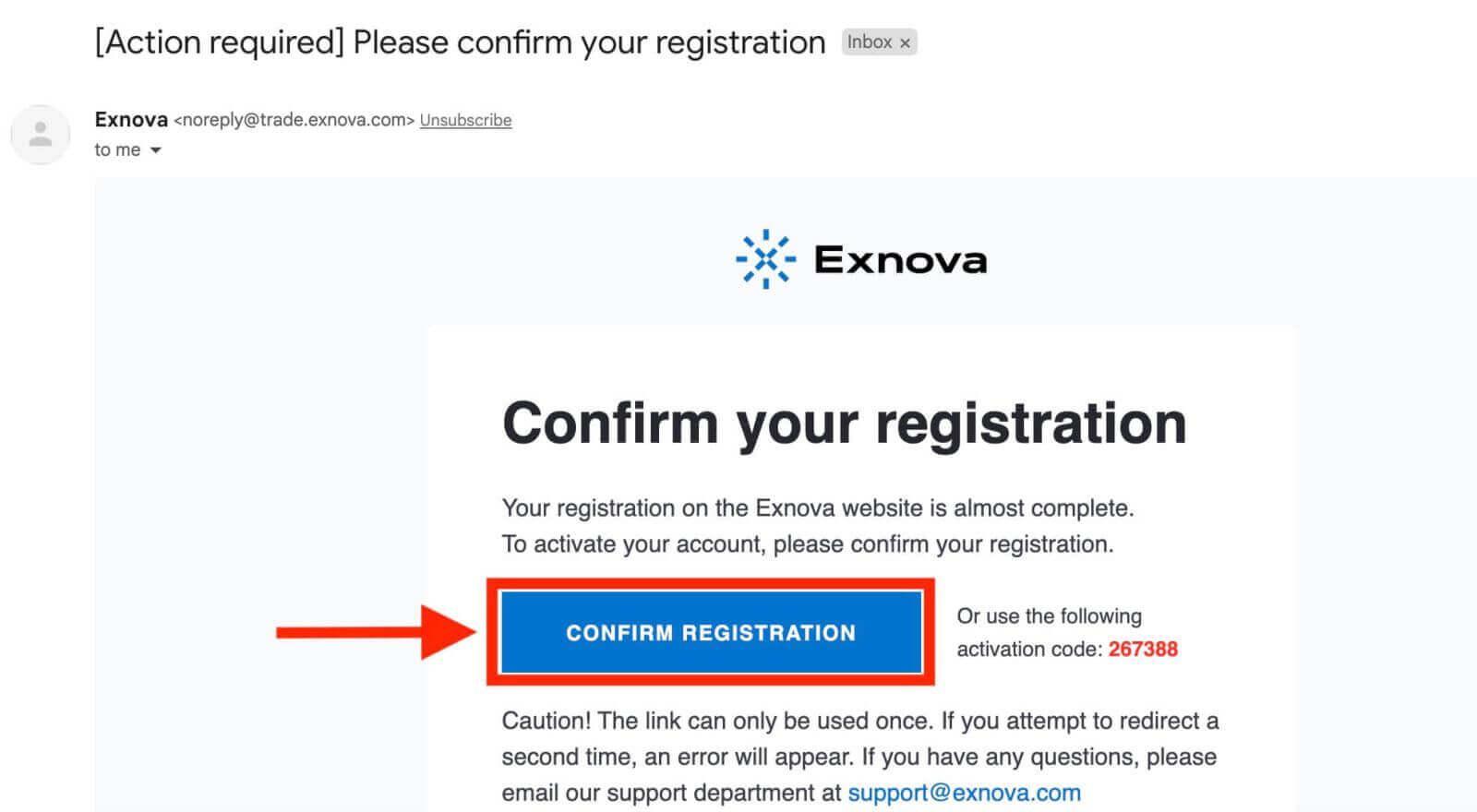
Finally, access your email, Exnova will send you a confirmation mail. Click the link in that mail to activate your account. So, you will finish registering and activating your account.
How to Open a Trading Account on Exnova via Google
Furthermore, you have the opportunity to establish an Exnova account through Google, offering a swift and uncomplicated method to set up your trading account and commence your trading activities.1. To register, you need to authorize your Google account by clicking on the corresponding button in the registration form.
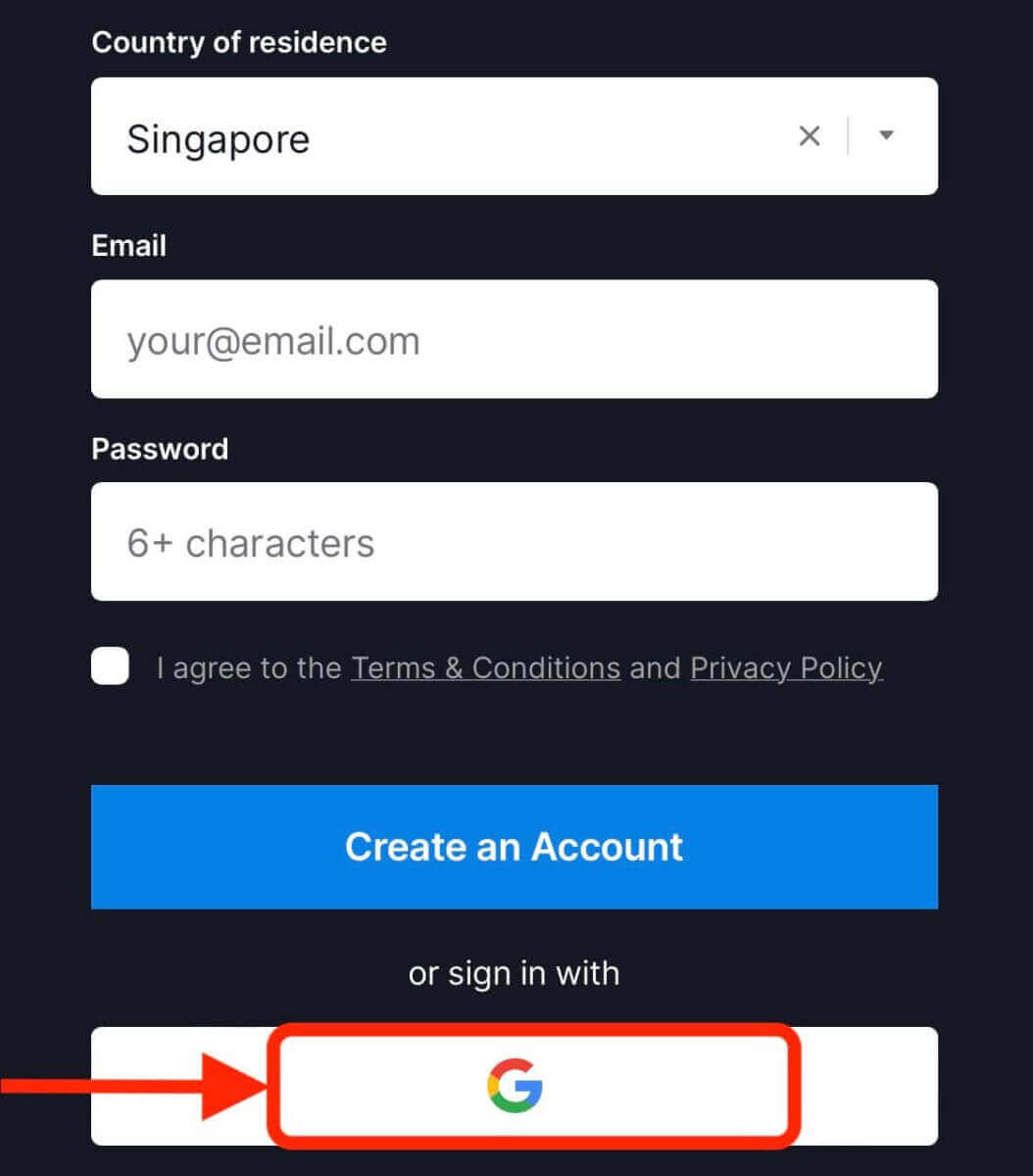
2. You will be redirected to a Google sign-in page where you can enter your Google account credentials.
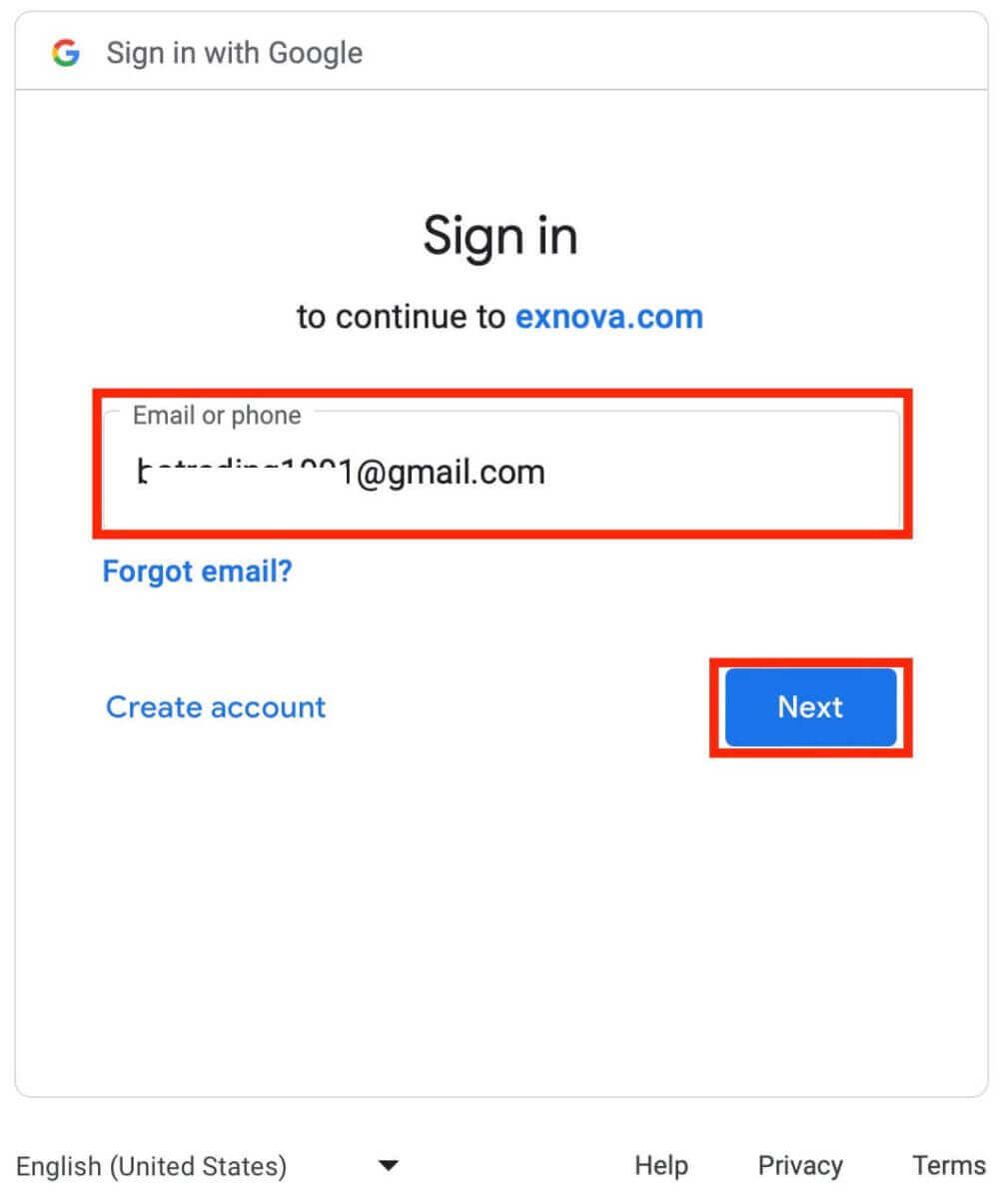
3. Then enter the password for your Google account and click “Next”.
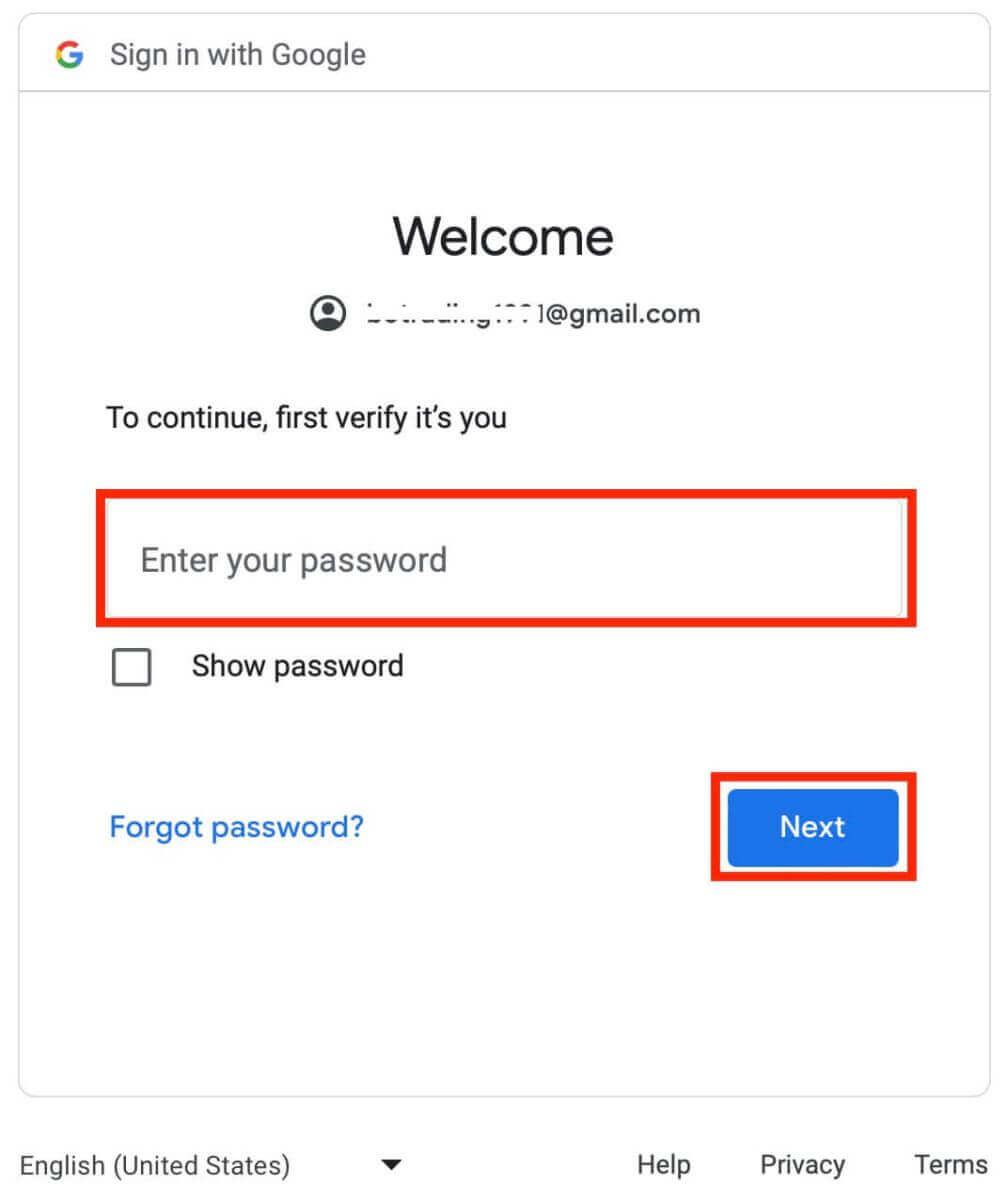
Congratulations! You have successfully registered on Exnova with a Google account. You will then be taken to your Exnova dashboard where you can complete your profile, verify your identity, deposit funds and start trading.
You can now enjoy the benefits of trading on one of the most advanced and user-friendly platforms in the market.
Open a Trading Account on the Exnova Android App
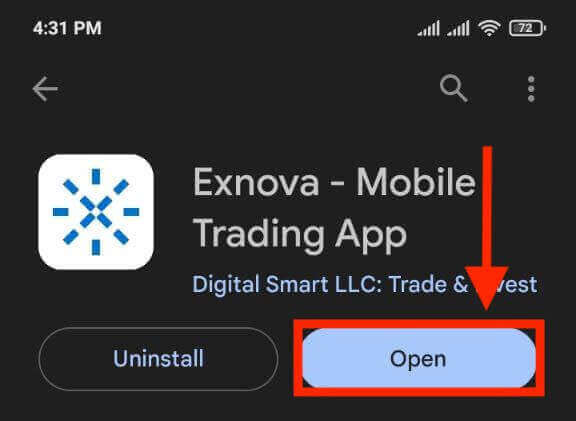
If you seek a hassle-free and user-friendly means of trading on your mobile device, consider giving the Exnova Android app a try. We’ll guide you through the straightforward process of downloading, installing, and registering an account on the Exnova app, making it one of the most convenient methods for trading while on the move.Step 1: Download the app.
To download the Exnova app Android, you can go to the Google Play Store and search for "Exnova – Mobile Trading App" or click here.
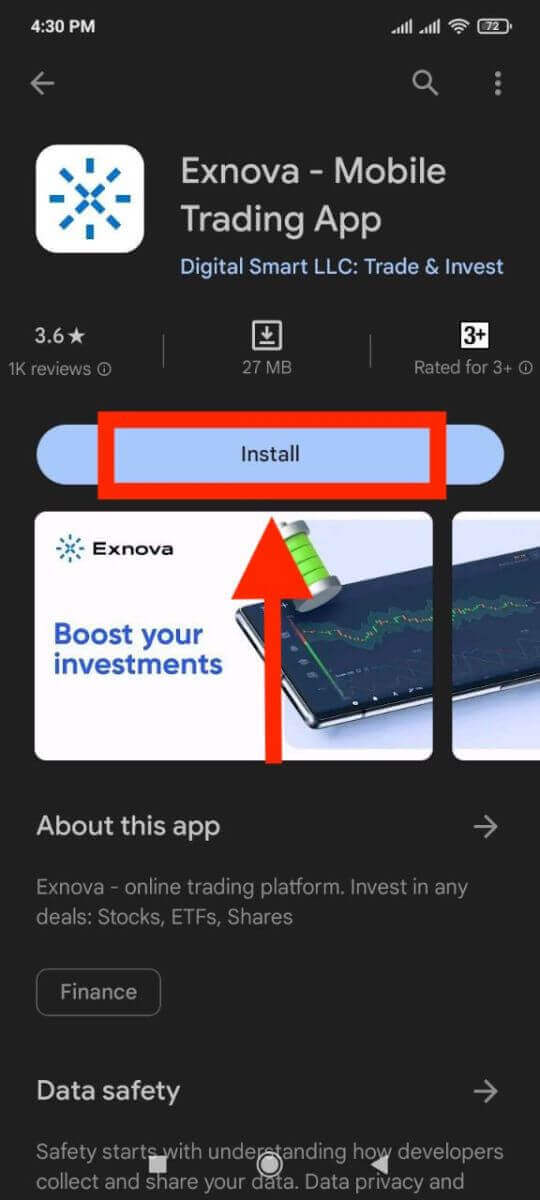
Step 2: Register an account on the Exnova app.
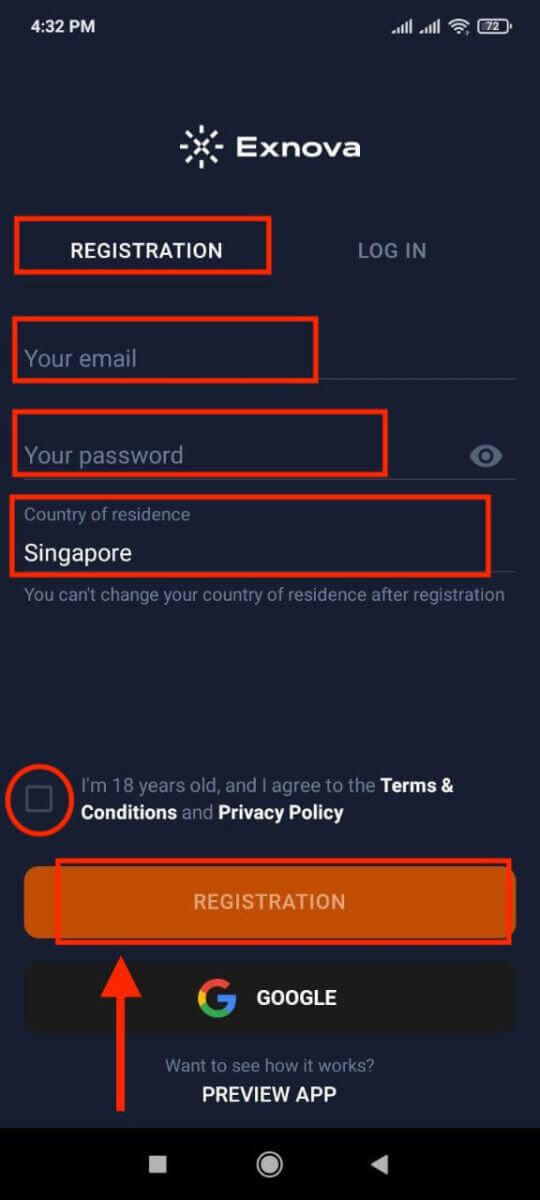
Once you have downloaded and installed the app, open it and you will see a registration form.
Fill in the registration form with your personal details:
- Enter a valid email address.
- Create a strong password.
- Select your country of permanent residence.
- Agree to the terms and conditions of the platform and click "REGISTRATION".
Alternatively, you can sign up with your Google by tapping on the corresponding buttons.
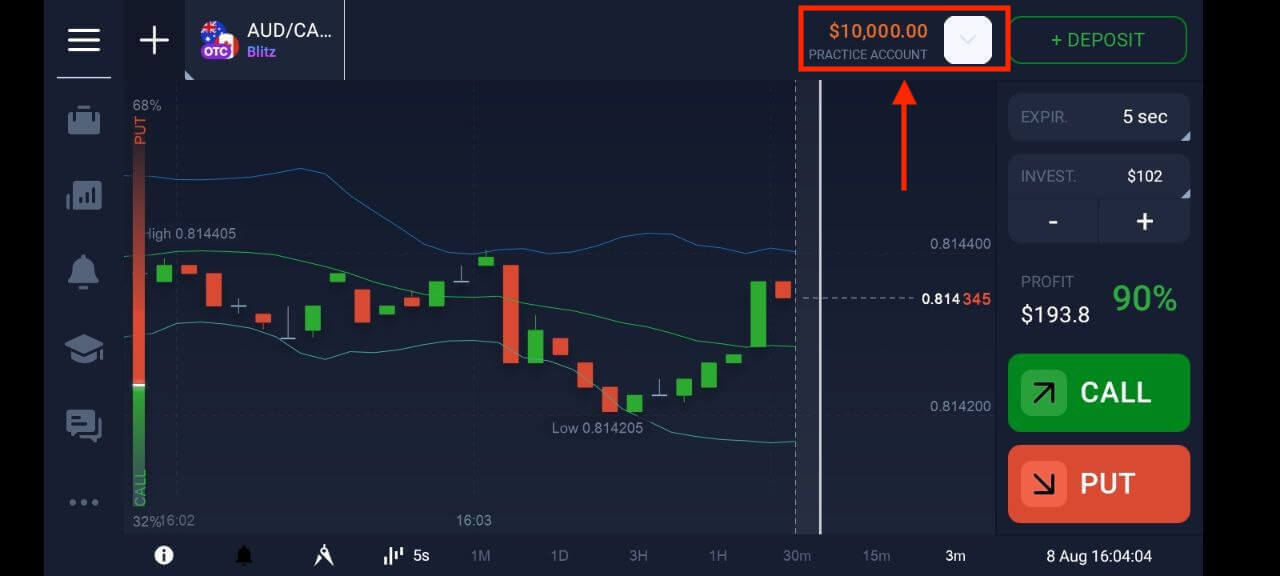
Congratulations, you have successfully created your Exnova account. You have $10,000 in your Demo Account. You can choose from hundreds of assets to trade, analyze price charts, use various indicators and tools, set up alerts and notifications, make deposits and withdrawals, contact customer support and more. You can switch between a free demo account and a real account by tapping on the balance icon at the top right corner.
Open an Exnova Trading Account on the Mobile Web Version
We’ll guide you through the process of registering an Exnova account on the mobile web, ensuring compatibility with various devices and browsers.Step 1: Open up your browser on your mobile device. After that, visit the Exnova website.
Step 2: On the homepage, you will see a "Sign up" button at the top. Click on it to open a registration form.
You will need to select your country and enter your email address, create a password and agree to the terms and conditions of Exnova. You can also sign up with your Google account if you prefer.
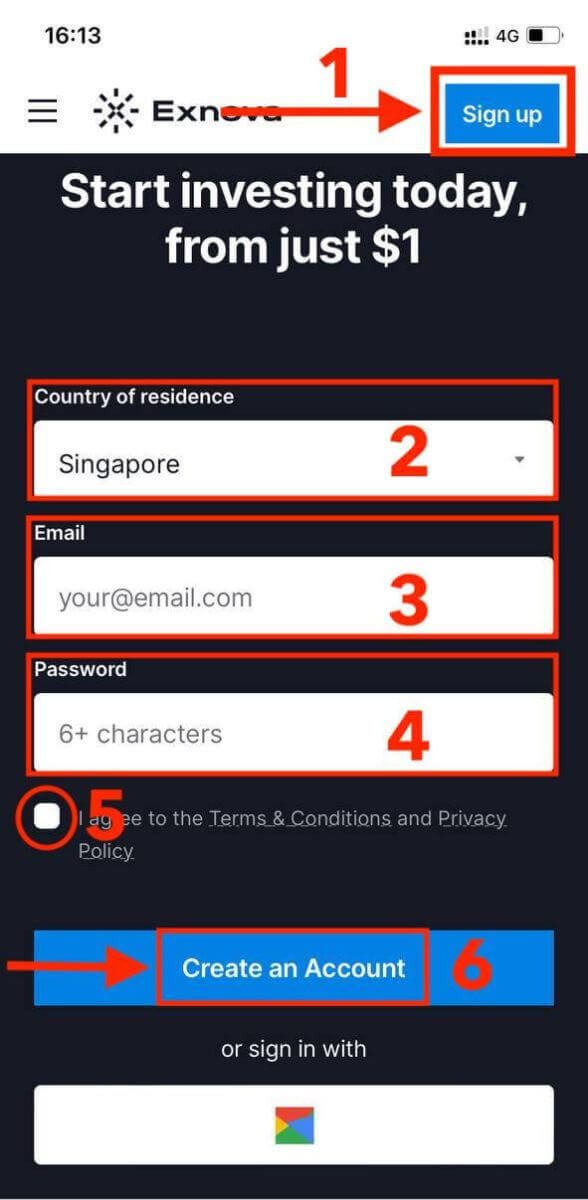
Congratulations! You have successfully registered an Exnova account on the mobile web version. You can now explore the platform and start trading.
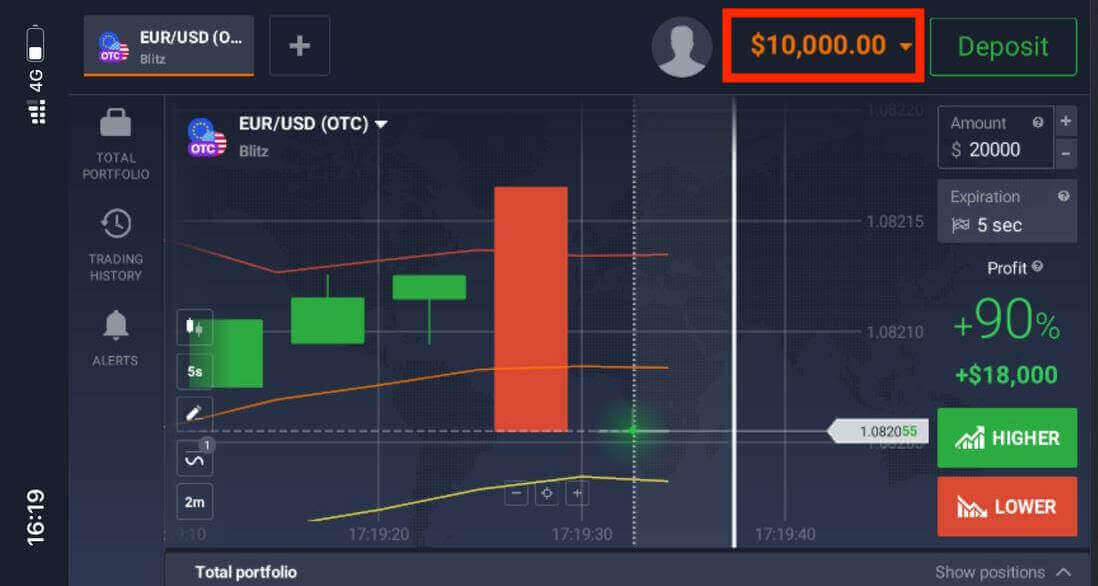
The mobile web version of the trading platform is exactly the same as the regular web version of it. Consequently, there won’t be any problems with trading and transferring funds.
Frequently Asked Questions (FAQ)
How much money can I make on the practice account?
You cannot profit from the trades you make on a practice account. On a practice account, you receive virtual funds and make virtual trades. It is designed for training purposes only. To trade with real money, you need to deposit funds into a real account.
How do I switch between a practice account and a real account?
To switch between accounts, click on your balance in the upper right corner. Make sure that you are in the trading room. The panel that opens displays your accounts: your real account and your practice account. Click on the account to make it active. Now you can use it to trade.
How do I top up my practice account?
You can always top up your practice account for free if your balance drops below $10,000. You must first select this account.
How can I secure my account?
To secure your account, use two-step authentication. Each time you log in to the platform, the system will prompt you to enter a special code sent to your email address. You can activate this in Settings.
How to make a Withdrawal on Exnova
How do I withdraw money on Exnova?
The method you use to withdraw your funds will depend on the method you used to deposit them.
If you deposit funds using an e-wallet, you can only withdraw funds to the same e-wallet account. To withdraw funds, create a withdrawal request on the withdrawal page. Withdrawal requests are processed within 3 business days. If you withdraw funds to a bank card, the payment system and your bank will require additional time to process this transaction.
How to withdraw money from Exnova?
Step 1: Log In to Your Exnova AccountTo initiate the withdrawal process, log in to your Exnova account using your registered email address and password. Ensure that you are accessing the Exnova website or app to maintain the security of your account.
Step 2: Access Your Account Dashboard
Once logged in, navigate to your account dashboard. This is usually the main landing page after logging in, and it displays an overview of your account’s financial activities.
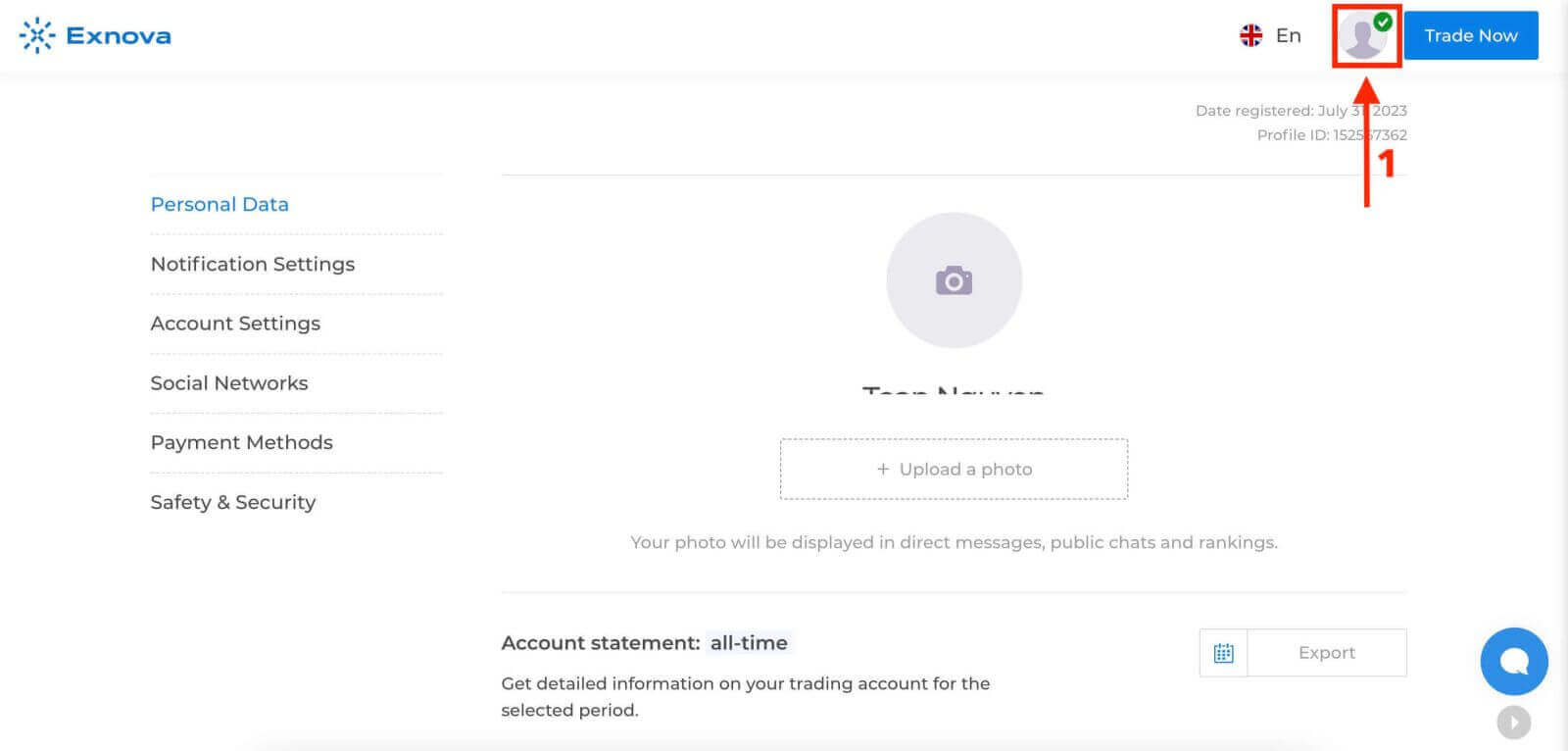
Step 3: Verify Your Identity
Exnova places a strong emphasis on security. Before proceeding with a withdrawal, you may need to verify your identity. This could involve providing additional information, answering security questions, or undergoing a multi-factor authentication process.
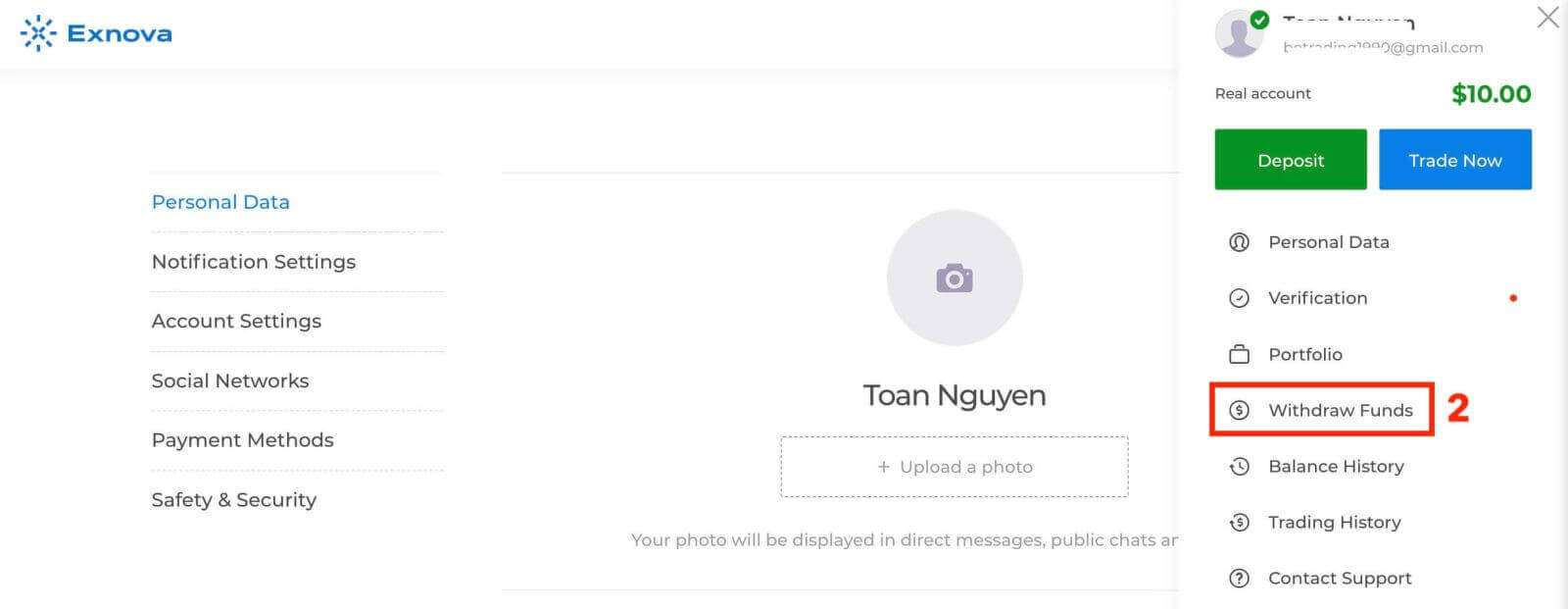
Step 4: Navigate to the Withdrawal Section
Look for the "Withdraw Funds" section on your account dashboard. This is where you’ll initiate the withdrawal process.
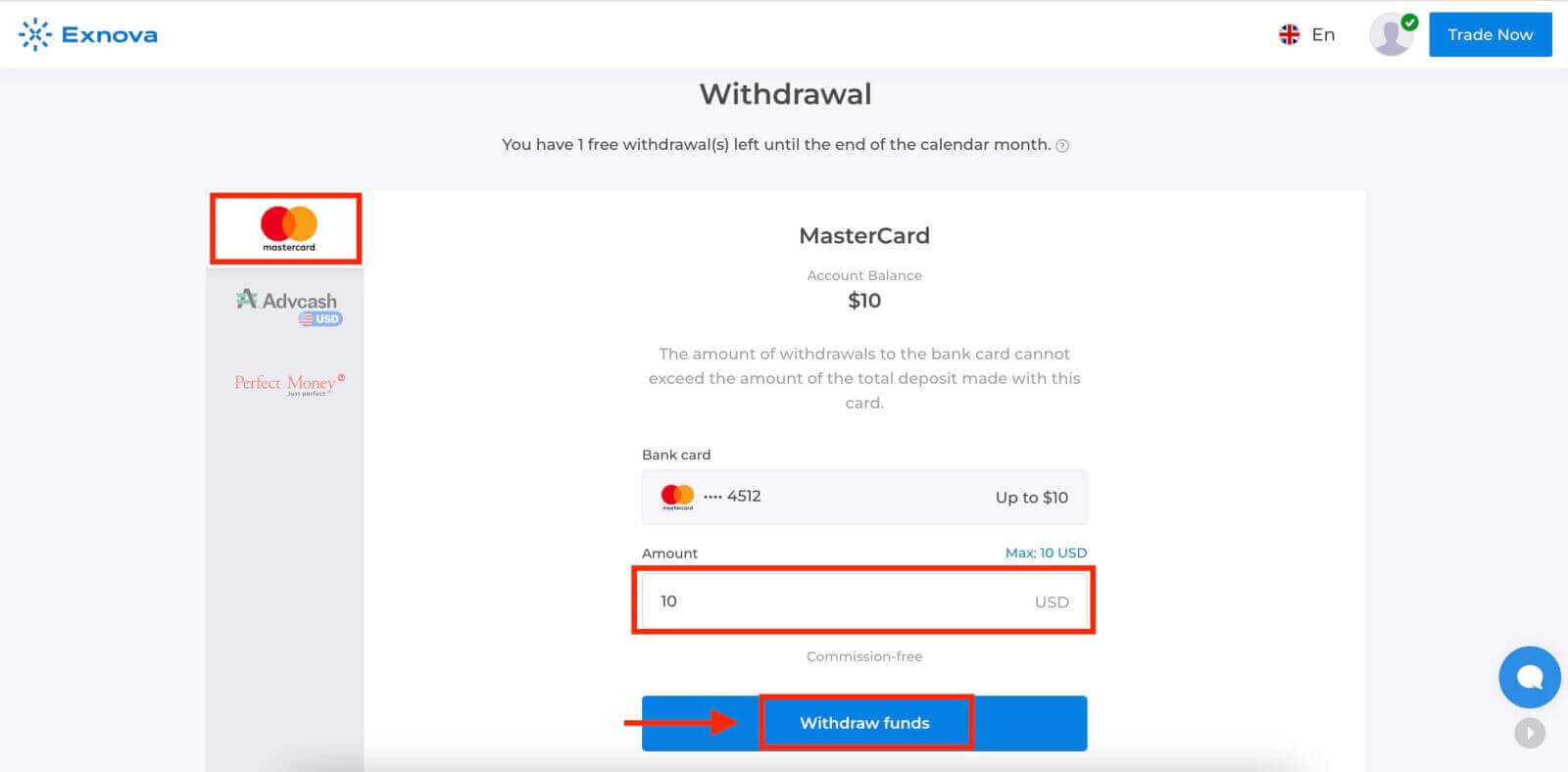
Step 5: Select the Withdrawal Method
Exnova typically offers various withdrawal methods. Choose the method that suits you best and click on it to proceed.
Step 6: Specify Withdrawal Amount
Enter the amount you wish to withdraw from your Exnova account. Make sure the amount is within your available balance and takes into account any potential fees associated with the withdrawal method.
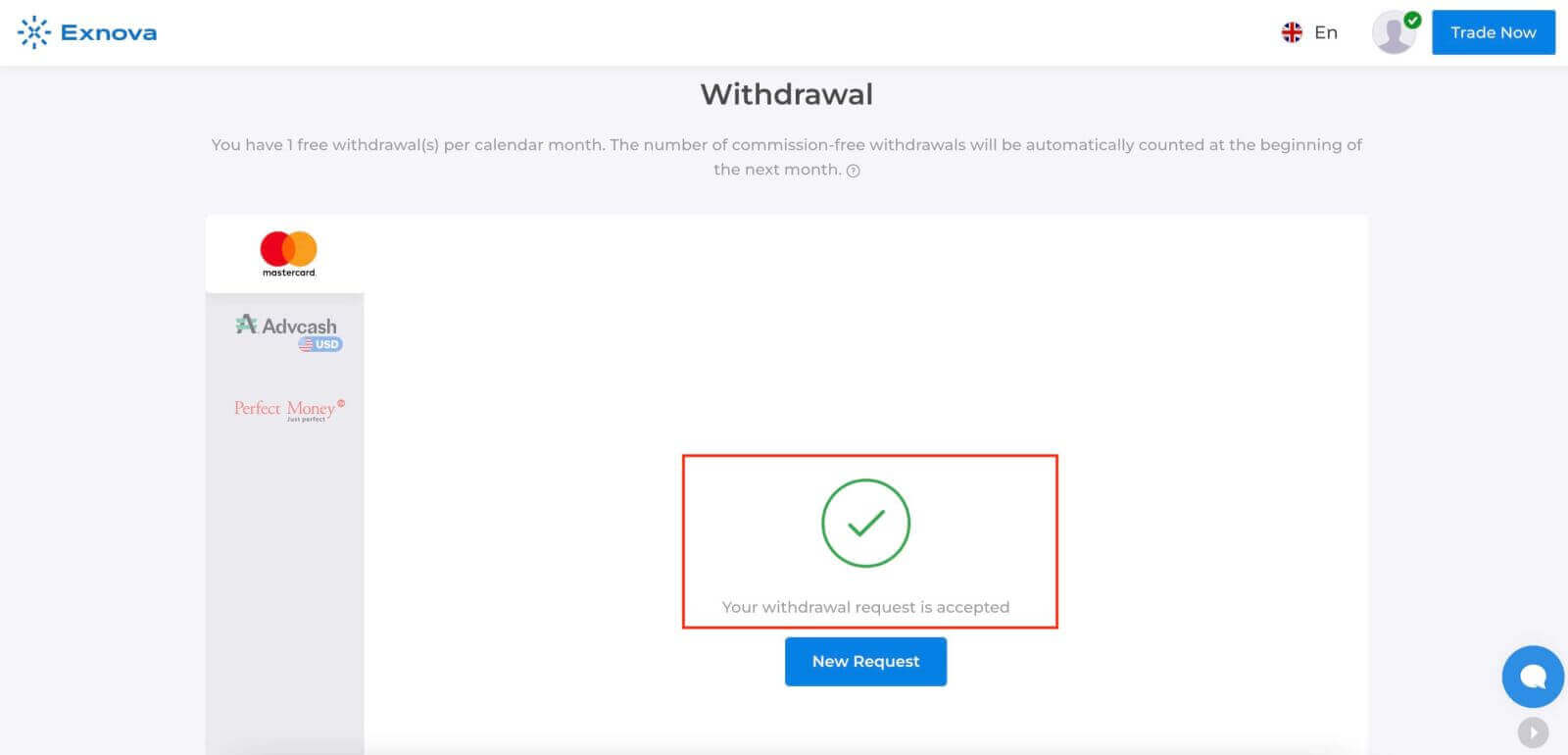
Step 7: Monitor Withdrawal Status
After submitting your withdrawal request, monitor your account for updates on the withdrawal status. Exnova will provide notifications or updates on whether your withdrawal has been processed, approved, or completed.
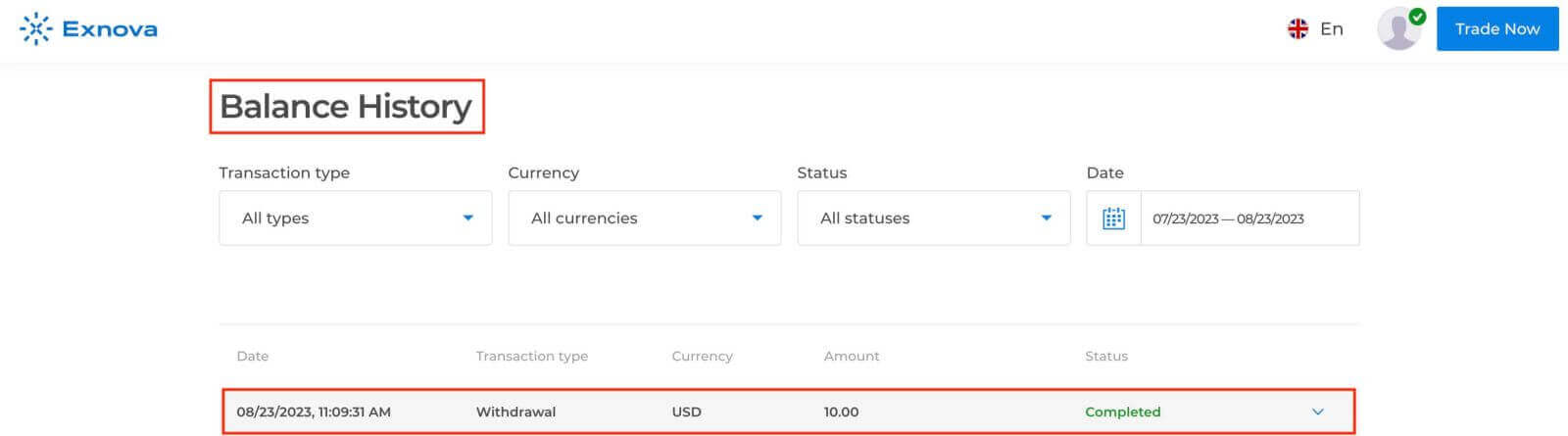
Check your balance history.
How long does it take to process the withdrawal on Exnova?
Our team of experts requires a certain period to thoroughly assess and approve each withdrawal request, which typically spans no more than 3 days.Ensuring your identity is a pivotal step to prevent unauthorized access to your funds and confirm the authenticity of your request.
This is necessary for the security of your funds, along with the verification procedures.
After that, there is a special procedure when you withdraw to a bank card.
You can only withdraw to your bank card the total amount deposited from your bank card within the last 90 days.
We send you the money within the same 3 days, but your bank needs some more time to complete the transaction (to be more precise, the cancellation of your payments to us).
As an alternative, you have the option to seamlessly withdraw all accrued profits to an e-wallet without encountering any constraints and receive your money within 24 hours after we complete your withdrawal request. This is the fastest way to get your money.
Minimum withdrawal on Exnova
When initiating fund withdrawals from your brokerage account, it’s important to consider the minimum withdrawal threshold. Certain brokers have restrictions that prevent traders from withdrawing amounts below this set minimum.
The minimum withdrawal requirement is influenced not solely by the regulations of the Exnova trading platform, but also by the chosen payment method. Generally, the minimum withdrawal benchmark commences at $2. Traders have the flexibility to use electronic wallets, banks, and cards to process withdrawals for amounts starting from $2.
Maximum withdrawal on Exnova
Exnova withdrawal has no maximum limits. So, traders can enjoy withdrawing as many funds as they have in their trading accounts.
Conclusion: Mastering Online Trading - Your Exnova Journey from Account Creation to Fund Withdrawal
Embarking on Exnova by opening a trading account initiates an exciting journey into online trading’s realm, teeming with chances to explore diverse financial instruments and markets. Your meticulous research and thoughtful selection have led you to a platform valuing security, transparency, and user-friendly functionality, enhancing your trading experience.
When it comes to withdrawing funds from Exnova, a secure and user-friendly process takes precedence. Follow these step-by-step instructions to confidently navigate withdrawals and access your funds according to your financial requirements. Always ensure the use of secure and trusted devices when accessing your Exnova account and stay updated about any withdrawal process alterations or updates.
Position yourself for success in online trading while leveraging Exnova’s advanced platform for well-informed investment decisions. May your trading journey be defined by prosperity, knowledge, and the satisfaction derived from informed choices in the ever-evolving landscape of online trading.